 English
 العربية
 Deutsch
 Español
 Français
 Italiano
 Português
 Русский
 Türkçe
 Tiếng Việt
Free Online Calorie Calculator — Calculate BMR, TDEE & Daily Calorie Needs
Introduction
Whether your goal is to lose weight, build muscle, maintain your current physique, or simply understand your body better, everything starts with one number: your daily calorie needs. Eat fewer calories than you burn, and you lose weight. Eat more, and you gain. It is the single most fundamental principle in nutrition science — calories in versus calories out.
But how do you know what your body actually burns in a day? The answer depends on four things: your age, your gender, your height and weight, and your activity level. Plug those into the right formula, and you get a scientifically backed estimate of your Basal Metabolic Rate (BMR) — the calories your body burns at complete rest — and your Total Daily Energy Expenditure (TDEE) — the calories you burn including movement, exercise, and daily activity.
The OKemall Calorie Calculator does exactly this. It uses the Mifflin-St Jeor equation — the most accurate BMR formula endorsed by the Academy of Nutrition and Dietetics — combined with seven granular activity levels to give you a personalized daily calorie target.
In this guide, we will break down exactly how the calculator works, what BMR and TDEE mean, how to choose the right activity level, and how to use your results to reach your goals.
Why Guessing Your Calorie Needs Fails
If you have ever tried to manage your weight, you have probably encountered generic calorie advice: "2,000 calories a day for women, 2,500 for men." These numbers are rough population averages — they ignore your height, weight, age, muscle mass, and activity level entirely. A 5'2" sedentary woman and a 5'10" active woman have vastly different calorie needs, yet generic advice treats them identically.
Here is why personalized calculation matters:
Age matters. BMR decreases roughly 1–2% per decade after age 20 due to muscle loss and metabolic changes. A 50-year-old burns significantly fewer calories at rest than a 25-year-old of the same weight — and eating the same amount leads to gradual weight gain.
Body composition matters. Muscle tissue burns more calories at rest than fat tissue. Two people of the same weight can have BMRs that differ by 100–200 calories per day based on body composition alone. This is why resistance training is so powerful for long-term weight management.
Activity level is the biggest variable. A sedentary office worker and a construction worker of the same age, gender, and weight can have TDEEs that differ by 800–1,200 calories per day. Choosing the wrong activity level in a calculator makes every subsequent decision wrong.
Goals require precision. If you want to lose one pound per week, you need a 500-calorie daily deficit. But to calculate that deficit, you first need to know your maintenance calories. Guessing your maintenance at 2,500 when it is actually 2,100 means your "500-calorie deficit" is actually only 100 calories — and you will wonder why the scale is not moving.
The OKemall Calorie Calculator eliminates guesswork by factoring in all four variables — age, gender, body metrics, and activity level — using peer-reviewed formulas.
Understanding BMR and TDEE
Before using the calculator, it helps to understand the two numbers it produces:
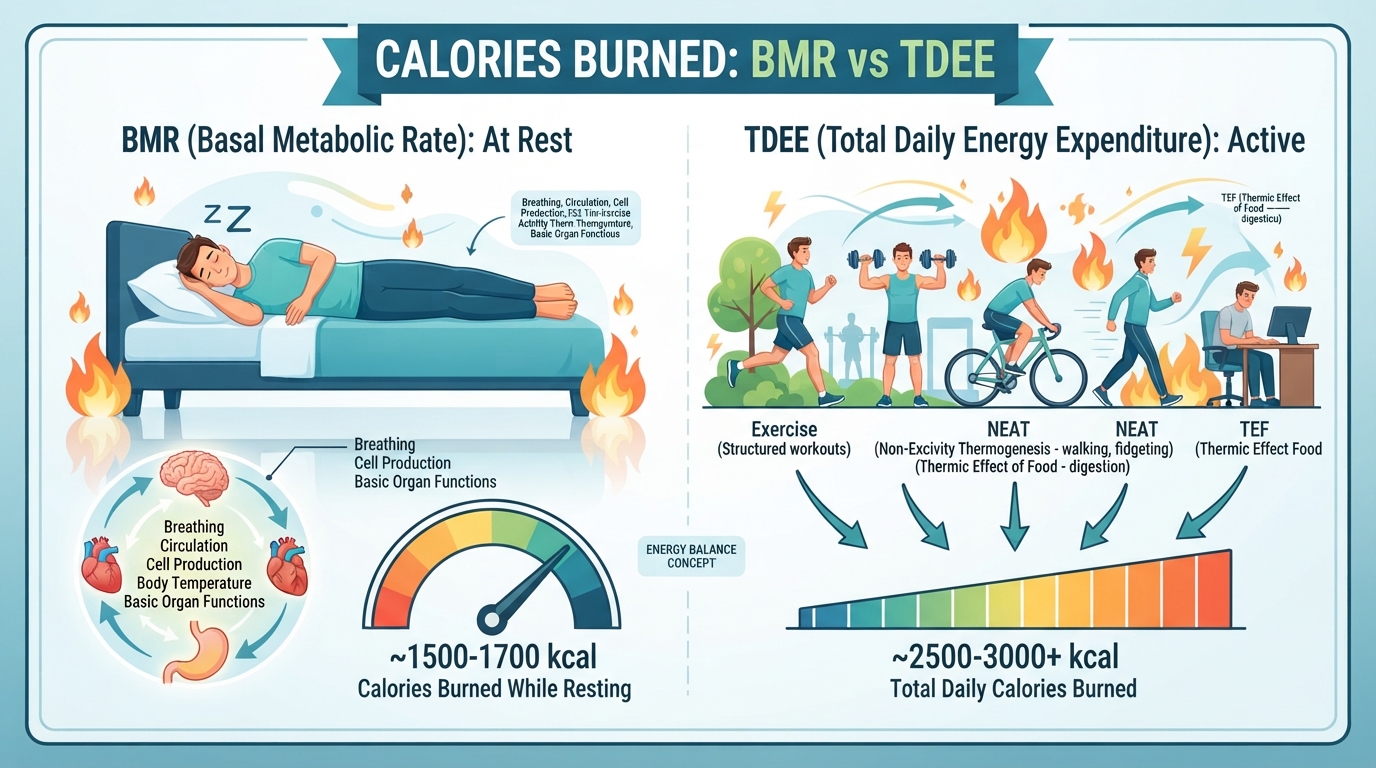
BMR (Basal Metabolic Rate): The number of calories your body burns in 24 hours at complete rest — lying in bed, not moving, not digesting food. BMR covers the energy needed for breathing, circulating blood, maintaining body temperature, cell repair, and brain function. It typically accounts for 60–70% of your total daily calorie burn.
TDEE (Total Daily Energy Expenditure): Your BMR multiplied by an activity factor that accounts for everything you do beyond lying still — walking, talking, working, exercising, even fidgeting. TDEE is the number you actually need to know for weight management. If you eat your TDEE, you maintain your weight. Eat less, you lose. Eat more, you gain.
The Mifflin-St Jeor Formula (used by the OKemall calculator):
For males: BMR = (10 × weight in kg) + (6.25 × height in cm) − (5 × age) + 5
For females: BMR = (10 × weight in kg) + (6.25 × height in cm) − (5 × age) − 161
This formula was developed in 1990 and validated across multiple populations. It is more accurate than the older Harris-Benedict equation and is the current gold standard for BMR estimation in clinical and fitness settings.
Example: A 30-year-old male weighing 80 kg at 180 cm:
- BMR = (10 × 80) + (6.25 × 180) − (5 × 30) + 5
- BMR = 800 + 1,125 − 150 + 5 = 1,780 calories/day
Then, if he exercises 4–5 times per week (Moderate, multiplier 1.465):
- TDEE = 1,780 × 1.465 = 2,608 calories/day
That is his maintenance — the amount he needs to eat to stay at 80 kg. To lose weight, he would eat below 2,608. To gain, above.
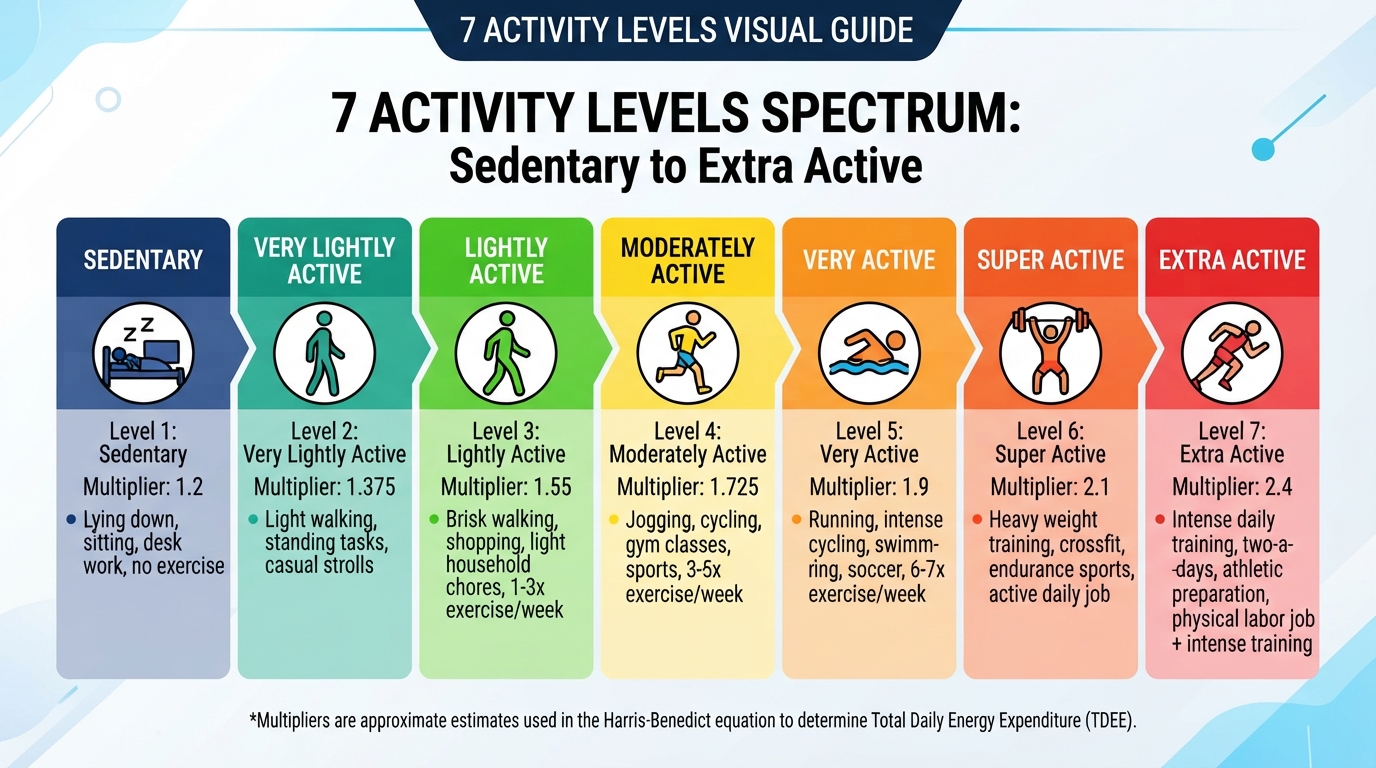
The Seven Activity Levels Explained
Choosing the right activity level is the most important decision you make in any calorie calculator. Here is what each level actually means:
1. Basal Metabolic Rate (BMR) — Multiplier: 1.0 This is your bare-minimum calorie burn — lying in bed all day, zero movement. Not a practical daily target for anyone, but useful as a baseline reference. Your BMR is the floor below which you should never restrict calories without medical supervision.
2. Sedentary — Multiplier: 1.2 Little or no exercise. Desk job, mostly sitting, minimal walking. If your daily step count is under 3,000 and you do not exercise, you are sedentary. This applies to many office workers and is the most common category.
3. Light Activity — Multiplier: 1.375 Exercise 1–3 times per week. This might be a weekend jog, a couple of gym sessions, or regular walking (5,000–7,000 steps per day). Light activity describes someone who is not completely inactive but does not have a consistent exercise routine.
4. Moderate Activity — Multiplier: 1.465 Exercise 4–5 times per week. This is the sweet spot for most people with a consistent fitness routine — gym 4 days a week, running 3–4 times, or a physically active job plus occasional exercise. If you work out most weekdays, choose moderate.
5. Active — Multiplier: 1.55 Daily exercise or intense exercise 3–4 times per week. This describes someone with a physically demanding job (waiter, nurse, warehouse worker) or a dedicated athlete training consistently. Daily step counts typically exceed 12,000–15,000.
6. Very Active — Multiplier: 1.725 Intense exercise 6–7 times per week. Competitive athletes, people training twice a day, or those with highly physical jobs plus regular intense exercise. This is a small percentage of the population.
7. Extra Active — Multiplier: 1.9 Very intense exercise daily, or a physical job plus daily training. Professional athletes, military personnel in training, or manual laborers who also train hard. Very few people fall into this category.
Choosing honestly matters. Overestimating your activity level is the single most common mistake in calorie tracking. If you exercise 3 times a week but sit at a desk the other 23 hours of the day, you are Light, not Moderate. The calculator can only be as accurate as the input you give it.
How to Use the OKemall Calorie Calculator: Step-by-Step
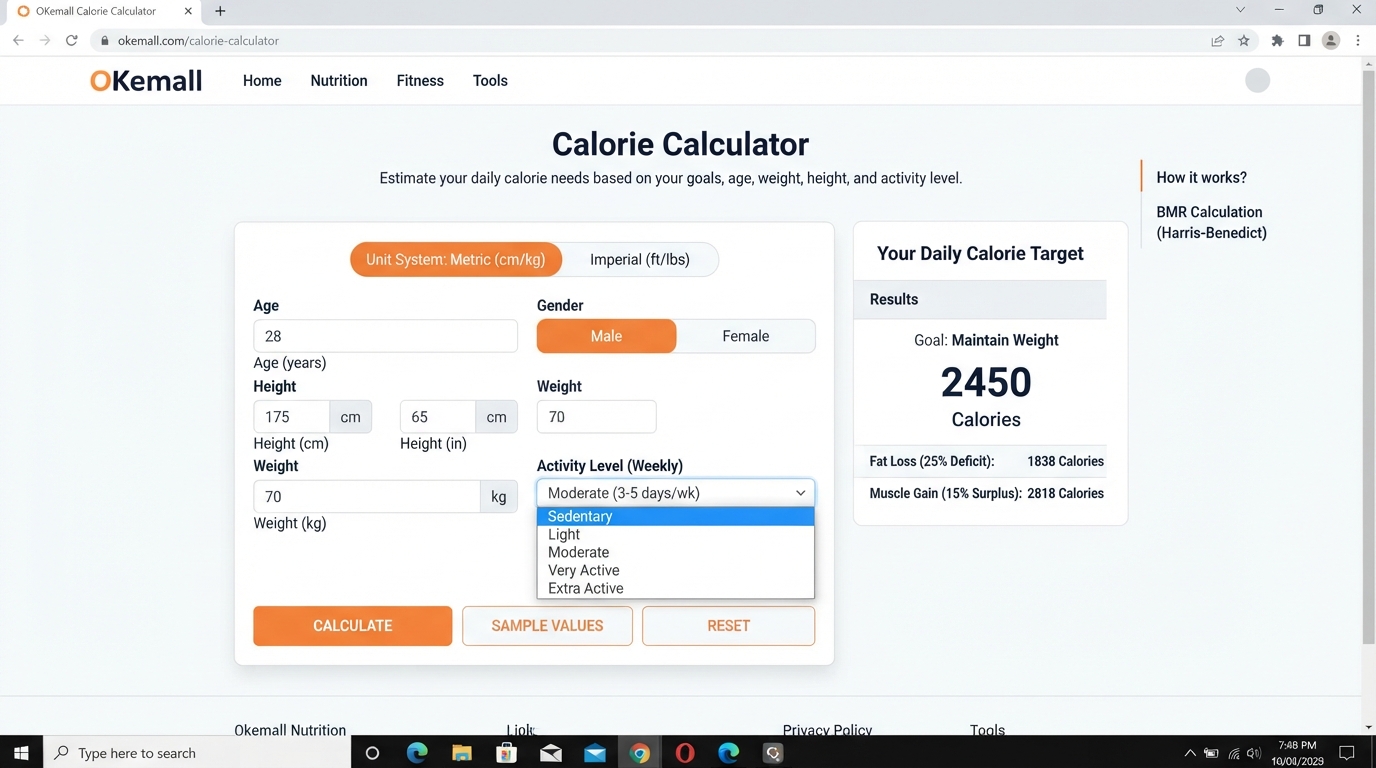
Step 1: Choose your unit system. Use the "Select Unit" dropdown to choose between Metric (kg, cm) and US Imperial (lbs, feet/inches). The form fields update automatically to match your selection. Default is Metric.
Step 2: Enter your age. Type your age in years into the Age field. This is one of the five variables in the Mifflin-St Jeor equation — accuracy matters.
Step 3: Select your gender. Click Male or Female. The formula includes a gender-specific constant (+5 for males, −161 for females) that accounts for typical differences in body composition and hormone profiles.
Step 4: Enter your height. Metric: enter centimeters (e.g., 175). Imperial: enter feet and inches separately (e.g., 5 feet 10 inches).
Step 5: Enter your weight. Metric: enter kilograms (e.g., 70). Imperial: enter pounds (e.g., 160).
Step 6: Select your activity level. Choose from the 7-level dropdown, ranging from BMR (1.0) to Extra Active (1.9). Be honest — this multiplier has an enormous impact on your result. When in doubt, choose the lower option; you can always adjust upward if you consistently lose weight unintentionally.
Step 7: Click "Calculate." The teal Calculate button processes your inputs through the Mifflin-St Jeor formula and returns your personalized calorie results.
Step 8 (optional): Use the Sample button to load example values, or Reset to clear and start over.
What to Do With Your Results
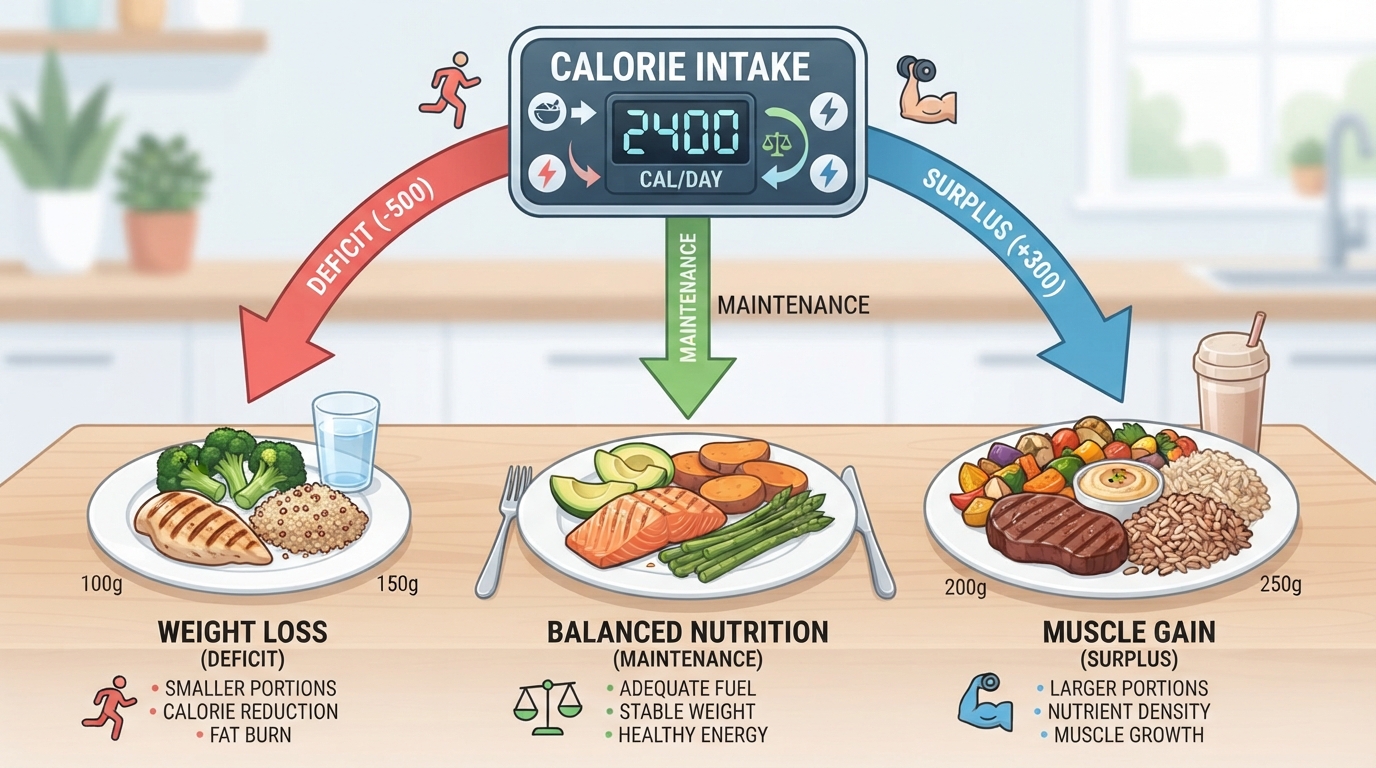
Once you have your TDEE, here is how to use it for your specific goal:
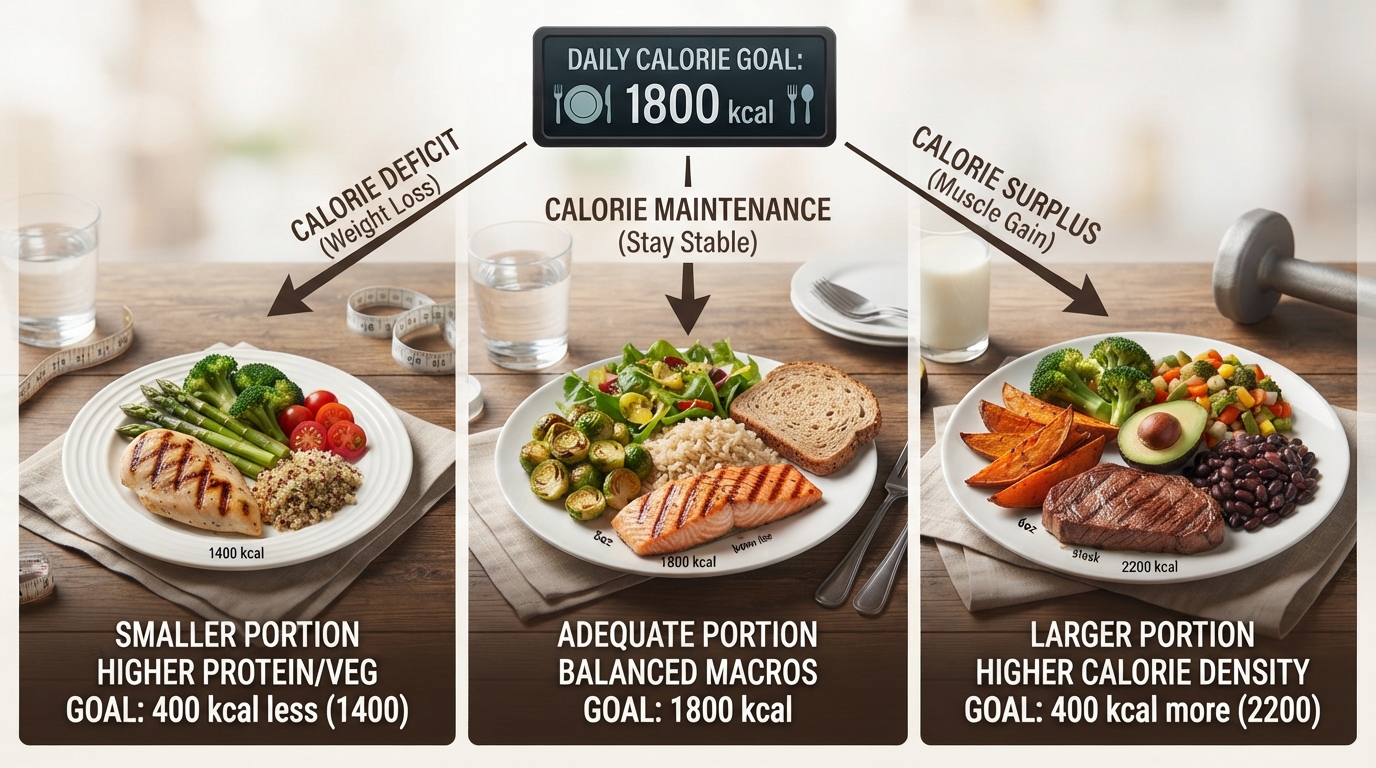
For Weight Loss: Subtract 300–500 calories from your TDEE for a sustainable deficit. A 500-calorie daily deficit results in approximately one pound of fat loss per week (3,500 calories = roughly one pound of body fat). Do not drop below your BMR — eating below BMR for extended periods can slow your metabolism and cause muscle loss.
Example: TDEE = 2,500. Weight loss target = 2,000–2,200 calories/day.
For Weight Maintenance: Eat at your TDEE. Monitor your weight weekly. If it trends up, your actual TDEE may be slightly lower (common if you overestimated activity level). If it trends down, your TDEE may be higher. Adjust by 100–200 calories at a time based on real-world results.
Example: TDEE = 2,500. Maintenance target = 2,500 calories/day. Adjust based on scale feedback.
For Weight Gain / Muscle Building: Add 300–500 calories to your TDEE for a controlled surplus. Combine with resistance training to ensure the extra calories support muscle growth rather than fat storage. A surplus above 500 calories rarely accelerates muscle gain and mostly adds fat.
Example: TDEE = 2,500. Muscle gain target = 2,800–3,000 calories/day, with emphasis on protein intake (1.6–2.2g per kg of body weight).
What Makes OKemall's Calorie Calculator Stand Out
Mifflin-St Jeor formula. The calculator uses the most accurate BMR equation available, endorsed by major dietetic and nutrition organizations. Many free calculators still use the older, less accurate Harris-Benedict equation.
Seven granular activity levels. Instead of the common three-level approach (sedentary, moderate, active), the OKemall calculator offers seven distinct multipliers from 1.0 to 1.9. This extra granularity produces more accurate results, especially for people whose activity levels fall between the traditional categories.
Dual unit support. Toggle between Metric and US Imperial with a single dropdown. No manual conversion, no switching to a separate calculator.
Gender-specific calculations. The formula includes the correct gender constants (+5 for males, −161 for females), producing results that reflect physiological differences in body composition and metabolism.
No registration required. Open the page, enter your details, click Calculate, get results. No signup, no email collection, no spam.
Mobile-friendly. Use the calculator from your phone at the gym, during a nutrition consultation, or while meal prepping.
Multi-language support. Available in 10 languages, making the tool accessible to a global audience.
Pro Tips for Accurate Calorie Tracking
1. Recalculate every 4–8 weeks. As you lose or gain weight, your BMR changes. A person who weighed 90 kg and now weighs 80 kg burns fewer calories at rest. Recalculate with your new weight to keep your targets accurate.
2. Choose the lower activity level when unsure. It is safer to underestimate your activity and adjust upward based on results than to overestimate and wonder why you are not losing weight. Real-world scale feedback beats any formula.
3. Pair with the TDEE Calculator for detailed planning. The OKemall TDEE Calculator offers complementary calculations for energy expenditure, helping you refine your targets further.
4. Combine with macro tracking. Knowing your calorie target is step one. Step two is splitting those calories into protein, carbohydrates, and fats. Use your calorie result as the foundation for a full macro plan.
5. Track for at least two weeks before adjusting. Your initial TDEE calculation is an estimate. Weigh yourself daily under consistent conditions (morning, after bathroom, before eating), take a weekly average, and compare week-over-week trends. Adjust your calorie target only after you have two weeks of consistent data.
6. Do not eat back all exercise calories. Fitness trackers and gym machines notoriously overestimate calorie burn. If your calculated TDEE is 2,400 and your watch says you burned 600 calories in a workout, do not add the full 600 to your food intake — you will likely overshoot. A safer approach is to treat exercise as a bonus deficit, not an eating pass.
Related OKemall Tools for Health and Fitness
- TDEE Calculator — Detailed total daily energy expenditure calculation with additional parameters.
- BMI Calculator — Calculate your Body Mass Index to assess weight category.
- Body Fat Calculator — Estimate body fat percentage using measurements.
- Discount Calculator — Calculate discounts on fitness supplements, meal prep, and gym memberships.
- Percentage Calculator — Calculate macronutrient percentages from your calorie target.
Frequently Asked Questions
Q: Is the OKemall Calorie Calculator free? Yes, completely free. No signup, no registration, no usage limits.
Q: How accurate is the Mifflin-St Jeor formula? It is the most accurate BMR prediction equation for the general population, with studies showing it predicts BMR within about 10% of measured values for most people. Individual variation exists — your actual BMR may differ based on muscle mass, genetics, and health conditions.
Q: Should I use Metric or Imperial units? Either is fine — choose whichever system you are more comfortable with. The calculator converts internally so the formula receives the correct inputs regardless of your unit choice.
Q: What if I am between two activity levels? Choose the lower one. It is better to start conservative and adjust upward based on real-world results than to overestimate.
Q: How many calories should I cut for weight loss? A 300–500 calorie daily deficit is sustainable for most people and results in approximately 0.5–1 pound of fat loss per week. Larger deficits can work short-term but are harder to maintain and increase the risk of muscle loss and metabolic adaptation.
Q: Does the calculator work for teenagers or older adults? The Mifflin-St Jeor formula was validated on adults aged 19–78. It may be less accurate for teenagers (still growing), very elderly individuals (significant muscle loss), or pregnant/breastfeeding women.
Q: Does the tool work on mobile? Yes, the interface is fully responsive.
Your daily calorie needs are not a mystery — they are a calculation. Four inputs (age, gender, body metrics, and activity level) fed into the right formula produce a number you can build an entire nutrition plan around. The challenge is not the math; it is getting accurate inputs and an honest activity assessment.
The OKemall Calorie Calculator handles the formula so you can focus on the inputs. It uses the Mifflin-St Jeor equation — the most respected BMR formula in nutrition science — with seven activity levels that cover the full spectrum from bedridden to elite athlete. Whether your goal is weight loss, maintenance, or muscle gain, your personalized TDEE is the foundation everything else is built on.
Calculate your numbers, track your results, adjust as you go. The formula gets you close — your consistency takes you the rest of the way.
Know your numbers before you start your next diet or bulk. Try the OKemall Calorie Calculator now — free, science-backed, and built for real results.

Popular Tools
Recent Posts