 English
 العربية
 Deutsch
 Español
 Français
 Italiano
 Português
 Русский
 Türkçe
 Tiếng Việt
Free Facebook ID Finder — Find Numeric Facebook Profile & Page ID Instantly
OKemall Find Facebook ID — The Complete Guide to Finding Numeric Facebook IDs
Introduction
You are setting up a ManyChat chatbot for your Facebook business page. You open the integration panel, and the first field it asks for is not your page name or your username — it is your numeric Facebook page ID. You search your settings, scroll through your about section, and dig into your page source, but the number is nowhere to be found.
This is the Facebook ID problem, and it affects digital marketers, developers, social media managers, and business owners on a daily basis. Facebook used to display numeric IDs prominently in profile and page URLs. Today, it hides them behind clean usernames (facebook.com/YourPageName), leaving the actual numeric identifier buried in code — inaccessible through the normal user interface.
The OKemall Find Facebook ID tool solves this problem entirely. Paste any public Facebook profile, page, or group URL into the input field, click Find now, and the tool instantly returns the numeric ID — the permanent, unchanging identifier that Facebook's backend, APIs, and third-party integrations actually use.
In this guide, we will explore exactly what a Facebook numeric ID is, the five most common scenarios where you need one, how to use the tool step by step, and what limitations to be aware of when working with Facebook's platform.
What Is a Facebook Numeric ID?
When you create a Facebook account, page, or group, Facebook assigns it a unique numeric identifier — a long number like 100012345678901. This number is the account's true, permanent identity in Facebook's database. It never changes, even if you change your username, your page name, or your display name multiple times over the years.
For most of Facebook's history, this numeric ID was visible in the URL of every profile and page. If you visited facebook.com/zuck, the actual URL would redirect to something like facebook.com/profile.php?id=4 (Mark Zuckerberg's numeric ID is famously 4, making him the fourth user ever created on the platform).
Around 2018, Facebook transitioned most profiles and pages to clean, vanity URLs based on usernames — facebook.com/johndoe instead of facebook.com/profile.php?id=100012345678901. The numeric ID was hidden from the URL bar, but it did not go away. It is still there. Facebook's Graph API uses it. The Ads Manager uses it. Chatbot platforms use it. Social media plugins for WordPress use it. The number is the real key — the username is just a friendly label.
The OKemall Find Facebook ID tool retrieves this hidden numeric ID from any public Facebook URL, giving you access to the permanent identifier that an increasingly long list of tools and integrations require.
Five Real-World Reasons You Need a Numeric Facebook ID
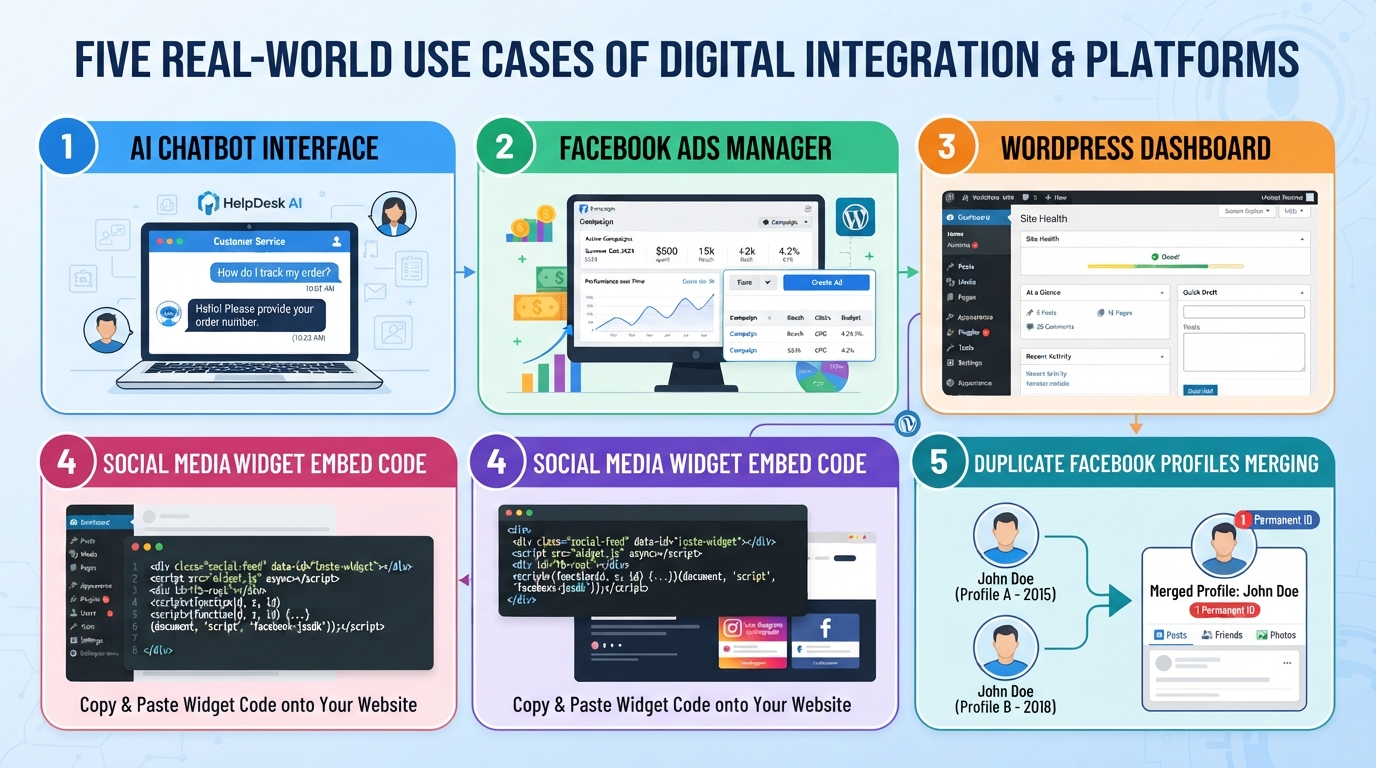
1. Chatbot Integrations (ManyChat, Chatfuel, Custom API Bots)
The most common reason people search for a Facebook ID is to connect a Messenger chatbot platform. ManyChat, Chatfuel, MobileMonkey, and custom bot frameworks all require your Facebook Page's numeric ID to establish the integration. Without it, the platform cannot identify which page to connect to — your page name is ambiguous, but your numeric ID is unique and permanent.
2. Facebook Ad Targeting (Custom and Lookalike Audiences)
When you create highly specific custom audiences for Facebook ad campaigns — uploading a customer list, retargeting website visitors, or building a lookalike audience — Facebook's backend relies on numeric user IDs for matching and segmentation. While the Ads Manager interface abstracts this away for basic campaigns, advanced API-based ad operations and third-party ad management tools often ask for numeric IDs directly.
3. Social Media Plugins and Widgets for Websites
If you embed a Facebook Page Plugin (like box, feed, or events), a Comments plugin, or a Share button on your website using raw HTML or JavaScript, the code frequently requests a numeric page ID or app ID rather than a username. Many developers find this out the hard way when their plugin documentation says "Enter your Facebook Page ID" and the page's URL only shows a username.
4. WordPress and CMS Plugins
SEO plugins, social sharing plugins, and social login plugins for WordPress, Joomla, and other CMS platforms often ask for a Facebook numeric ID to pull metadata correctly — things like your profile picture for authorship markup, your page's social graph data for Open Graph tags, or your app ID for social login configuration.
5. Resolving Duplicate or Changing Identities
Facebook allows users and pages to change their usernames over time. A page might be facebook.com/MyBusiness in January and facebook.com/MyBrand in March. The numeric ID is the only element that remains constant. If you are building a long-term integration, database reference, or tracking system, always store the numeric ID — never the username or custom URL.
Types of Facebook URLs the Tool Accepts
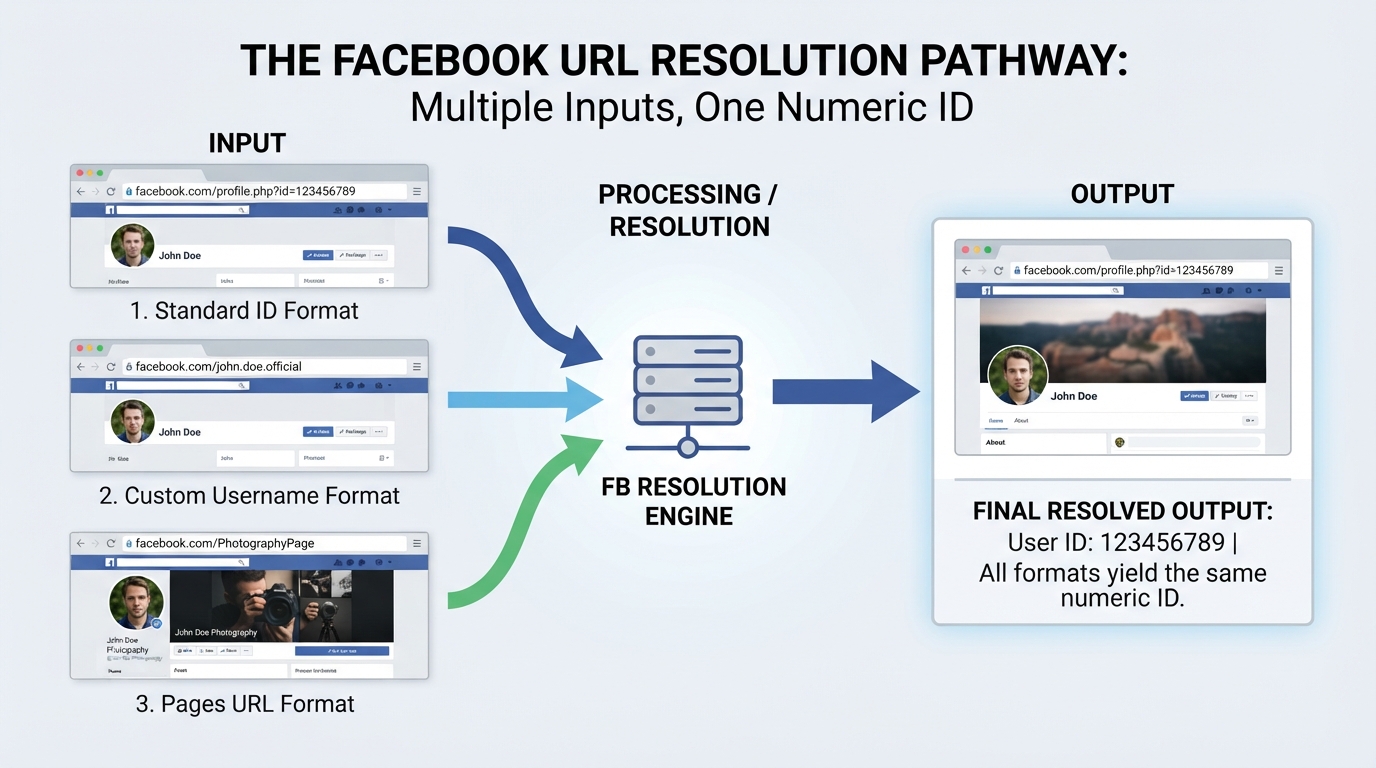
The OKemall Find Facebook ID tool handles all common Facebook URL formats. Here are the three types you are most likely to encounter:
Format 1: The Legacy Numeric URL https://www.facebook.com/profile.php?id=100012345678901
This is the old-style URL that already contains the numeric ID. While rare on modern profiles, some older accounts and certain Facebook features still generate these URLs. The tool extracts the number directly from the URL.
Format 2: Custom Username URL https://www.facebook.com/johndoe
This is the most common format today. The URL shows a username (or a page name converted to a URL-friendly slug), not the numeric ID. The tool fetches the page behind this URL and extracts the hidden numeric identifier.
Format 3: Legacy Page URL https://www.facebook.com/pages/My-Business/123456789012345
Some older business pages and certain shared links still use this format, where the numeric ID appears at the end of the URL. The tool recognizes the structure and extracts the ID directly.
All three formats produce the same result: the pure numeric Facebook ID. You can use whichever URL format you have access to — the tool handles the conversion for you.
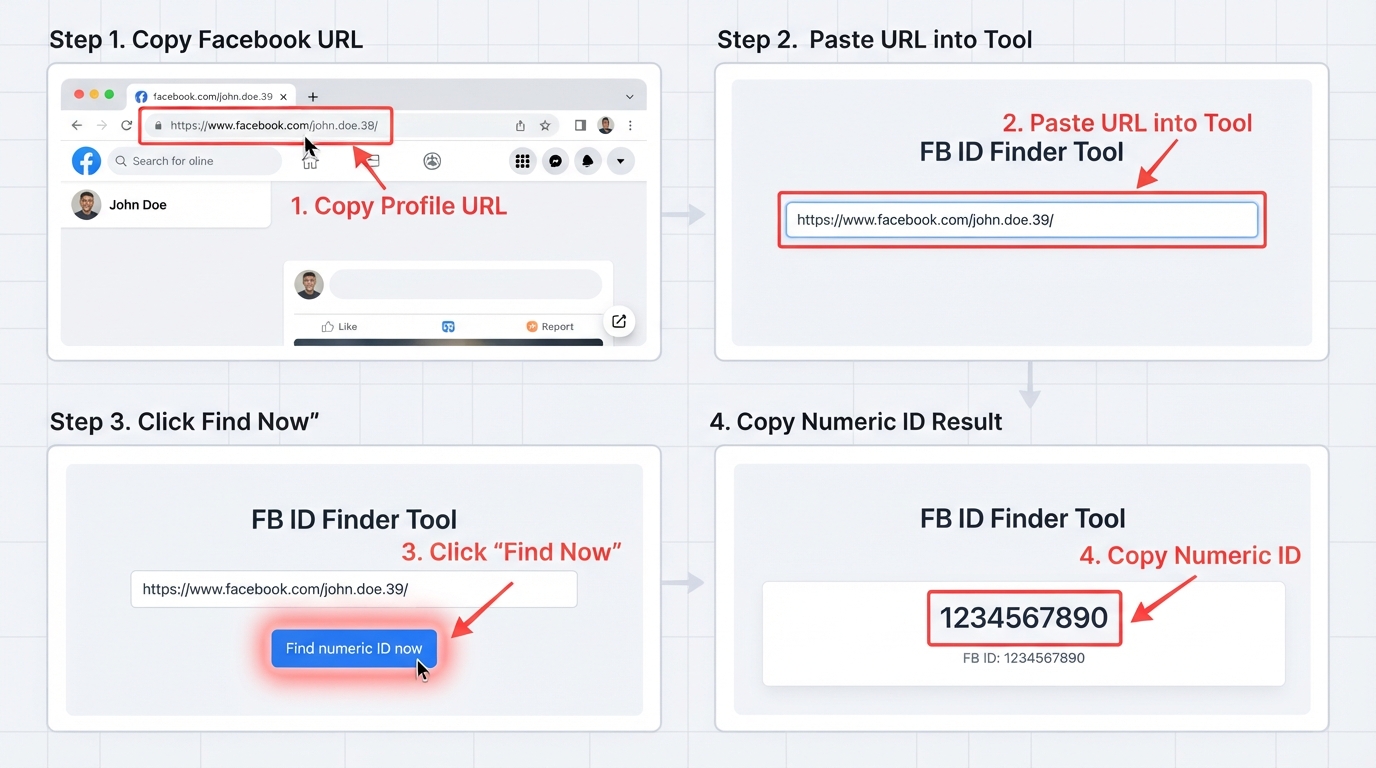
How to Use the OKemall Find Facebook ID Tool: Step-by-Step
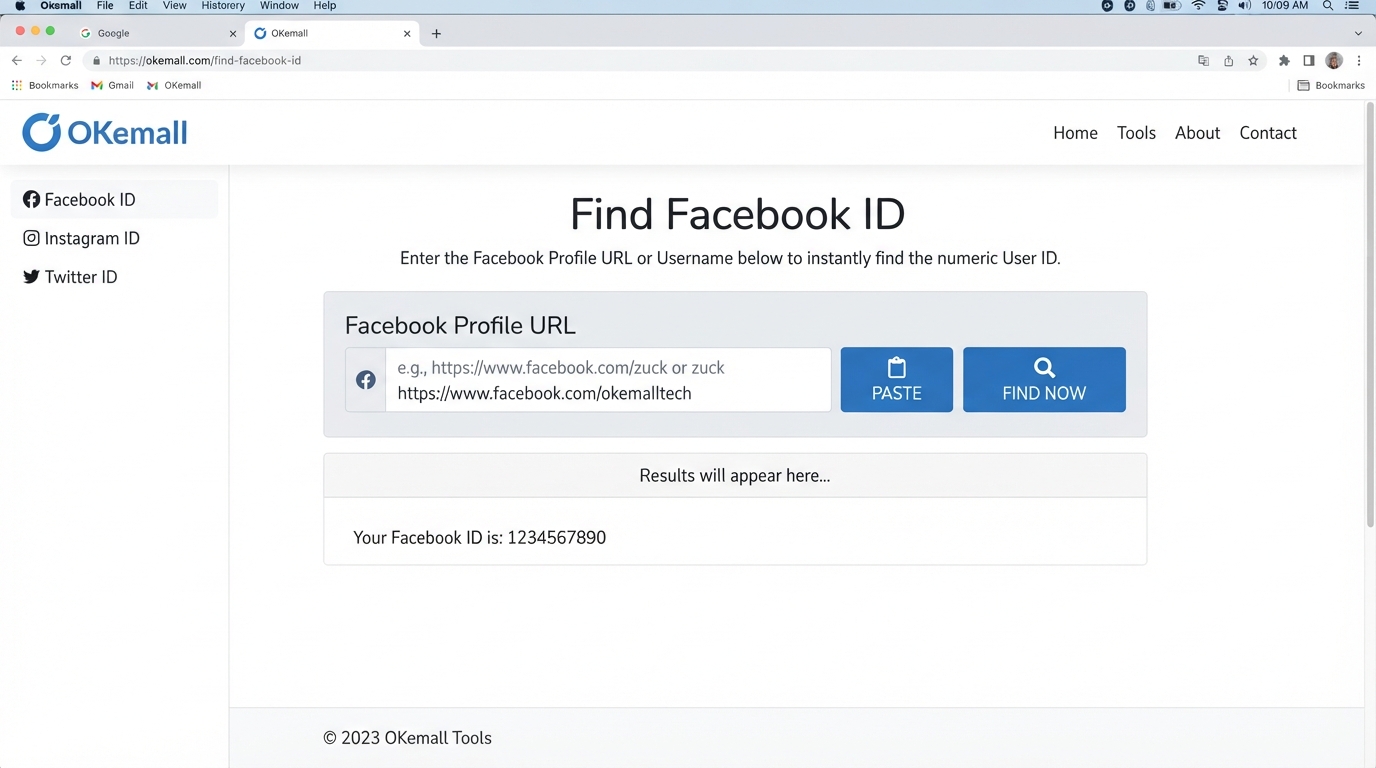
Step 1: Copy the Facebook URL. Navigate to the Facebook profile, page, or group you need the ID for. Copy the full URL from your browser's address bar. Make sure the profile, page, or group is set to Public — the tool cannot extract IDs from private profiles (see limitations below).
Step 2: Paste the URL into the tool. Go to the OKemall Find Facebook ID page. Paste the URL into the input field. You can use Ctrl+V / Cmd+V, or click the clipboard icon in the input field to paste directly from your clipboard. If you entered a wrong URL, the same icon turns into a clear button — click it to remove the text and start fresh.
Step 3: Click "Find now." Press the teal Find now button. The tool sends your URL to the server, where it fetches the Facebook page, parses the underlying code, and extracts the numeric ID. A loading spinner appears while the tool processes your request — it typically takes only a second or two.
Step 4: Copy the numeric ID. The tool displays the pure numeric Facebook ID — something like 100012345678901. Copy it to your clipboard and paste it wherever you need it: into your chatbot platform's connection settings, your WordPress plugin configuration, your ad management tool, or your developer documentation.
What Makes OKemall's Find Facebook ID Stand Out
Simple single-field interface. There is exactly one input, one button, and one result. No confusing options, no settings to configure, no format selectors — the tool handles URL detection automatically.
Smart paste and clear button. The clipboard icon in the input field pulls text directly from your clipboard with one click. When the field already contains text, the icon transforms into a clear button for quick resetting.
Handles all Facebook URL formats. The tool automatically recognizes and processes legacy numeric URLs (profile.php?id=), modern username URLs (facebook.com/username), and legacy page/group URLs — no need to know which format you have.
Server-side processing for reliability. Built on Livewire, the extraction runs server-side, avoiding the browser restrictions (CORS policies, cross-origin blocks) that would prevent a purely client-side tool from fetching Facebook page content.
No registration required. Open the page, paste a URL, click Find now, copy the ID. No signup, no email collection, no usage limits.
Multi-language support. Available in 10 languages, making the tool accessible to Facebook users, marketers, and developers worldwide.
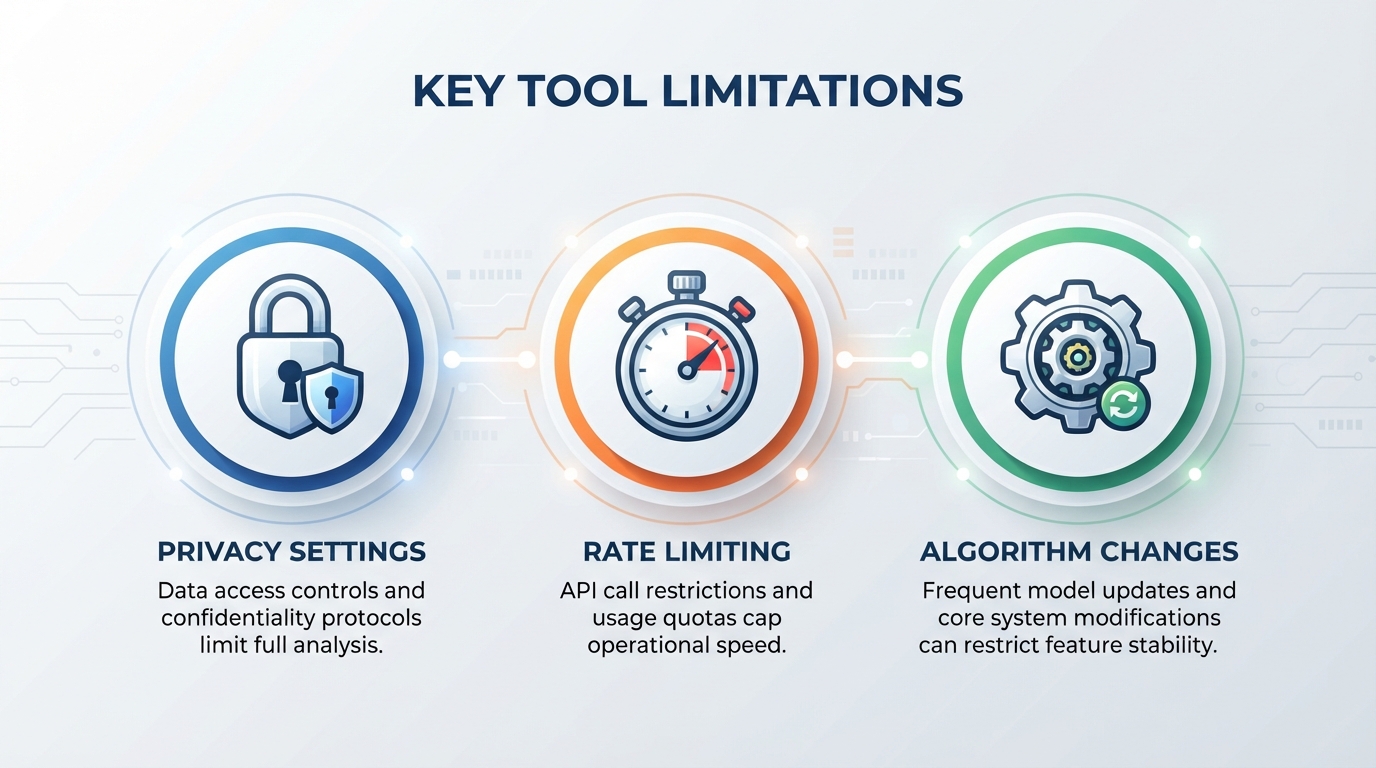
Important Limitations to Understand
Privacy settings matter. The tool can only extract IDs from profiles, pages, and groups that are set to Public. If a user has privacy settings that hide their profile from search engines and non-friends, or if a group is closed or secret, the Facebook page will not serve enough public data for the tool to extract the ID. This is a Facebook restriction, not a tool limitation.
Rate limiting. Facebook monitors for automated scraping behavior. If you extract hundreds of IDs in a very short time window, Facebook may temporarily throttle or block requests from the fetching server. The OKemall tool acts as an intermediary, but heavy automated bulk extraction is not supported. For occasional, legitimate use — finding IDs for your own pages, client work, or integration setup — the tool works reliably.
Platform changes. Facebook periodically updates its backend HTML structure and page-serving logic. On rare occasions, if Facebook changes how it renders public profile pages, the extraction logic may need an update. The OKemall team monitors the tool's functionality, but if you encounter an issue with a clearly public page, contact support through the Contact Us page.
No data storage. OKemall does not store the URLs you paste or the IDs it extracts. Each request is processed and discarded. For your own records, save the extracted ID in your integration settings, documentation, or password manager.
The Complete OKemall Social Media and Web Tool Ecosystem
The Find Facebook ID tool is part of a broader set of tools on OKemall that support web development, social media management, and digital marketing:
URL Tools:
- URL Parser — Break down complex Facebook URLs into their components (protocol, host, path, query parameters). Useful for extracting the
id=parameter from legacy links manually. - URL Encode / URL Decode — Encode or decode Facebook URLs when passing them through API requests or query strings.
Social Media Tools:
- QR Code Generator — Generate a QR code that links directly to the Facebook profile or page you just looked up — perfect for business cards, flyers, and storefront displays.
- YouTube Thumbnail Downloader — Download high-resolution video thumbnails for cross-platform social media campaigns.
Documentation and Compliance Tools:
- Privacy Policy Generator — If you are storing Facebook IDs or connecting to the Facebook API, you must disclose this in your privacy policy. This generator ensures compliance.
- Terms and Conditions Generator — Define the rules for users interacting with Facebook-related features on your website.
- Disclaimer Generator — Add disclaimers clarifying your relationship with Facebook (e.g., "This website is not endorsed by Facebook, Inc.").
Other Essential Tools:
- Password Generator — Create strong passwords for the developer accounts and third-party platforms where you are entering these Facebook IDs.
- Word Counter — Track character counts when writing Facebook ad copy alongside your ID-based audience targeting.
Frequently Asked Questions
Q: Is the OKemall Find Facebook ID tool free? Yes, completely free. No signup, no registration, no usage limits.
Q: Can I find the ID of a private Facebook profile? No. The tool works only with public profiles, pages, and groups. If a user's privacy settings prevent their profile from being visible to non-friends or search engines, the ID cannot be extracted.
Q: What URL formats does the tool accept? The tool accepts all three common Facebook URL formats: legacy numeric URLs (profile.php?id=), modern username URLs (facebook.com/username), and legacy page URLs (pages/PageName/NumericID).
Q: Is my Facebook URL or ID stored anywhere? No. OKemall does not store the URLs you search or the IDs the tool returns. Each request is processed and discarded immediately.
Q: Can I find my own Facebook ID? Yes. Copy your own profile URL from your browser's address bar while viewing your profile, paste it into the tool, and click Find now.
Q: What if the tool returns an error for a public page? This can happen if Facebook has temporarily rate-limited requests, if the page is not actually fully public, or if Facebook has changed its backend structure. Wait a few minutes and try again. If the issue persists, contact OKemall support.
Q: Does the tool work on mobile? Yes, the interface is fully responsive and works on smartphones and tablets.
The numeric Facebook ID has not disappeared — Facebook simply moved it out of sight. Behind every clean username URL, behind every branded page link, there is still a permanent numeric identifier that Facebook's backend, its developer APIs, and a growing ecosystem of third-party tools continue to depend on.
The OKemall Find Facebook ID tool brings that hidden number back to the surface. One URL input, one click, one result — a numeric ID you can paste directly into your chatbot platform, your ad manager, your WordPress plugin configuration, or your API integration. No digging through page source code, no guessing, no workarounds.
Bookmark it alongside the URL Parser, QR Code Generator, and Privacy Policy Generator for a complete social media integration toolset. And when you do extract a Facebook ID, store it somewhere permanent — because unlike usernames, that number will never change.
Stop searching for hidden numbers. Try the OKemall Find Facebook ID tool now — free, instant, and built for developers and marketers who need the real identifier.

Popular Tools
Recent Posts