 English
 العربية
 Deutsch
 Español
 Français
 Italiano
 Português
 Русский
 Türkçe
 Tiếng Việt
Terms And Condition Generator
Free Terms And Condition Generator
Every website that serves visitors, collects any form of data, sells products, or allows user interaction needs a Terms and Conditions agreement. It is not just a legal formality it is the contract between you and your users that defines the rules of engagement. What can users do on your site? What rights do you reserve? What happens if someone violates those rules? Without a Terms and Conditions page, the answers to these questions are unclear and that ambiguity exposes you to real legal risk.
But here is the problem: most small business owners, bloggers and indie developers are not lawyers. Hiring one to draft a custom Terms and Conditions agreement costs hundreds to thousands of dollars. Copying and pasting someone else's terms is legally dangerous you inherit clauses that may not apply to your business model at all. And starting from a blank page with no legal background is impossible.
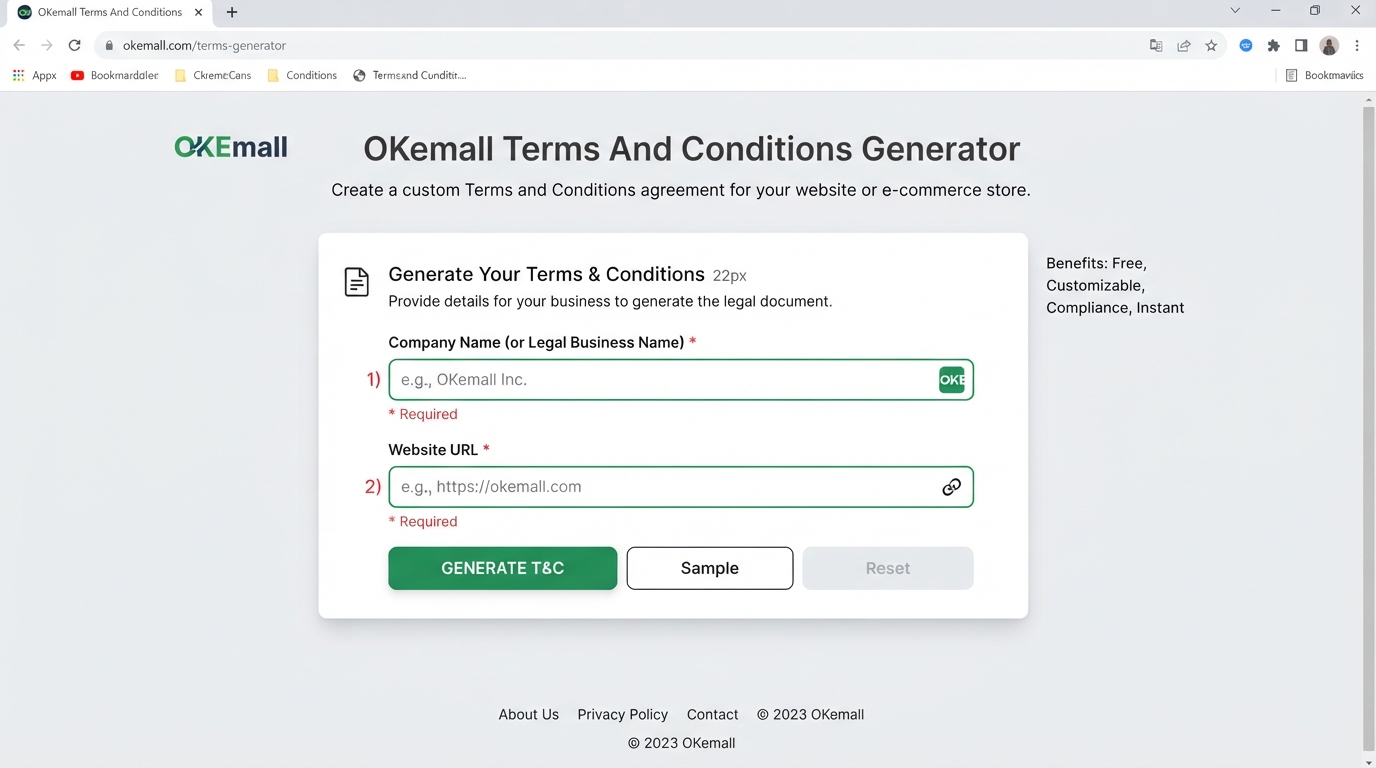
The OKemall Terms And Condition Generator bridges this gap. You enter two things your company name and your website URL and it generates a complete, professionally structured Terms and Conditions agreement that you can review, customize and publish on your site. It is free, instant and requires no legal expertise to use.
In this guide, we will explore why every website needs Terms and Conditions, which clauses matter most, how to use the generator step by step and how to customize the output for your specific business.
Why Every Website Needs Terms and Conditions
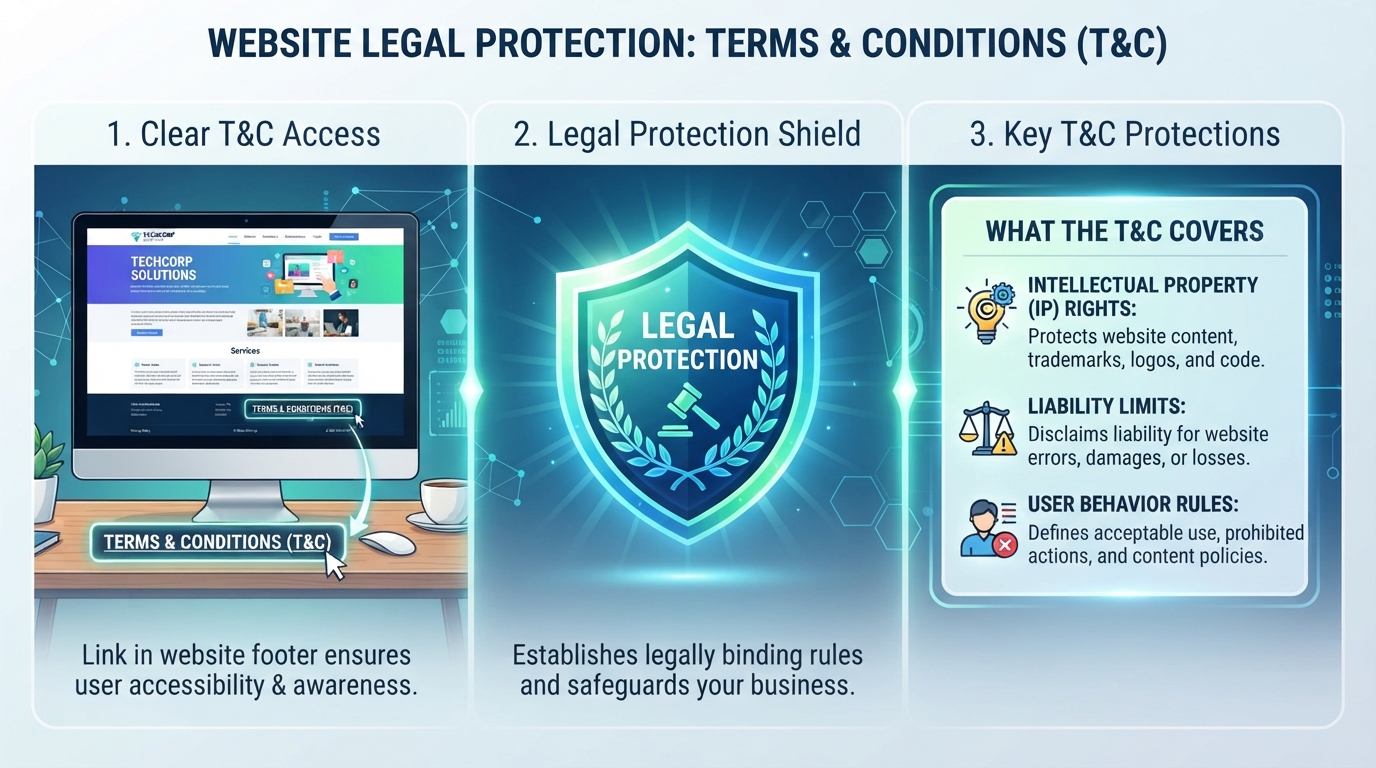
A Terms and Conditions agreement (also called Terms of Service or Terms of Use) serves five critical functions for any website:
1. It defines the legal relationship. Without a Terms page, there is no formal agreement governing what happens when someone visits your site. If a dispute arises a user claims you stole their content, demands a refund, or sues over something they read on your blog the absence of a clear agreement makes the legal situation significantly murkier.
2. It protects your intellectual property. Your website content, logo, branding, blog posts, images and code are your intellectual property. A Terms page explicitly states that fact and prohibits unauthorized copying, reproduction, or redistribution. Without this, proving IP infringement becomes harder.
3. It limits your liability. No website is perfect. Links break, information becomes outdated, third-party services go down. A well-written Terms page includes limitation of liability clauses that protect you from being held responsible for errors, omissions, or damages arising from the use of your site.
4. It governs user behavior. If your site allows comments, forum posts, user profiles, or content uploads, you need rules about what users can and cannot post. A Terms page gives you the right to remove content, ban users and terminate accounts for violations and it gives users fair warning about what constitutes a violation.
5. It is required by third-party services. Google AdSense, payment gateways (Stripe, PayPal), affiliate networks and app stores often require you to have a published Terms and Conditions page before they will do business with you. If you monetize your website in any way, a Terms page is not optional it is a prerequisite.
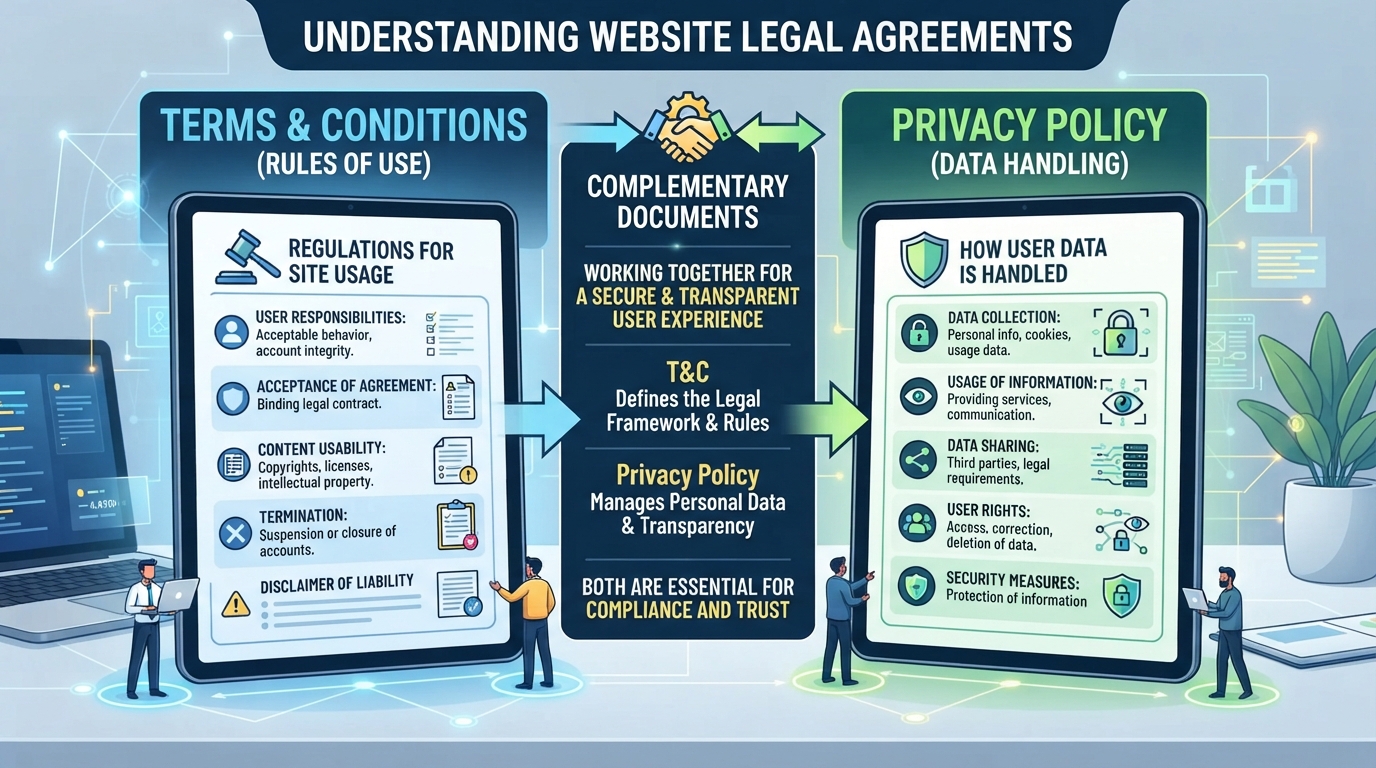
Terms and Conditions vs Privacy Policy Do You Need Both?
This is one of the most common questions from new website owners and the answer is yes you need both, because they serve entirely different purposes:
| Document | What It Covers | Who Requires It |
|---|---|---|
| Terms and Conditions | Rules for using your website intellectual property, user conduct, account termination, refunds, dispute resolution, governing law | Payment processors, app stores, ad networks, marketplace platforms |
| Privacy Policy | How you collect, use, store and share personal data cookies, email addresses, analytics, third-party data sharing | Data protection laws (GDPR, CCPA, CalOPPA), payment processors, ad networks, analytics services |
A website that sells digital products might have Terms that cover refund policy, account termination and intellectual property and a Privacy Policy that covers how customer email addresses and payment data are handled. They are complementary, not interchangeable.
The OKemall platform offers all three essential legal document generators as a complete suite:
- Terms And Condition Generator Rules for using your site
- Privacy Policy Generator How you handle user data
- Disclaimer Generator Liability protection for advice, affiliate links and external content
Generate all three, link them in your website footer and you have covered the legal essentials for most small and medium websites.
Key Clauses to Verify After Generation
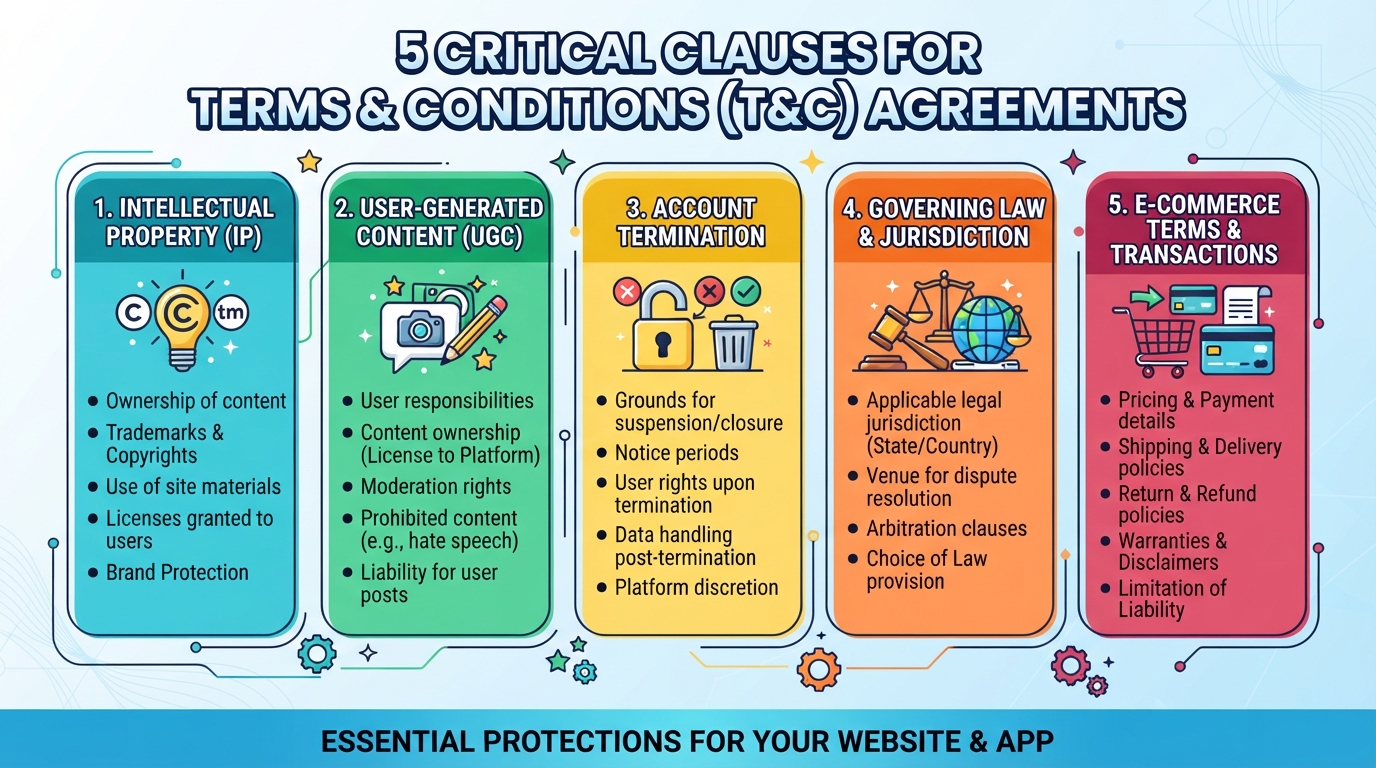
The OKemall Terms And Condition Generator produces a standard, well-structured agreement that covers the most commonly needed clauses. However, because it is a template-based generator and not a lawyer asking you 50 follow-up questions, there are specific clauses you should review and customize for your specific business:
Intellectual Property (IP): The generated template includes standard IP protection. Review it to ensure it accurately states who owns your content, your logo, your brand name and any user-submitted content. If you accept guest posts or user uploads, clarify who retains ownership (you, the user, or a shared license).
E-commerce and Refunds: If you sell physical products, digital downloads, subscriptions, or services through your website, the generator provides a framework but you must add specific details about pricing, shipping timelines, return windows, refund conditions and cancellation policies. Use the generated clauses as a starting point, not a final draft.
User-Generated Content (UGC): If your site has comments, forums, reviews, or user uploads, add clauses specifying what content is prohibited (hate speech, spam, copyrighted material), that you reserve the right to remove content at your discretion and that users grant you a license to display their content on your site.
Account Termination: If users create accounts (memberships, customer portals, forums), explicitly state your right to suspend or terminate accounts for violations of your terms. Without this clause, disgruntled users can argue that termination was a breach of contract.
Governing Law: Specify which country, state, or jurisdiction's laws govern the agreement. If your business is registered in California, your Terms should state that disputes are governed by California law. If you serve customers internationally, this becomes more complex and may warrant consulting a lawyer.
Affiliate Disclosures: If you use affiliate links or earn commissions from product recommendations, your Terms should disclose this relationship. The Disclaimer Generator is a better tool for affiliate-specific language, but your Terms should at minimum reference your monetization methods.
How to Use the OKemall Terms And Condition Generator: Step-by-Step
Step 1: Enter your company name. Type the legal name or official business name that owns the website into the "Company Name" field. If you are a sole proprietor using your own name, enter that. If you have a registered LLC or corporation, use the registered name. This name populates throughout the generated document as the legal entity.
Step 2: Enter your website URL. Type the full web address where the Terms and Conditions will apply. Include the protocol: https://www.yourdomain.com. The URL is embedded in the document as the subject website.
Step 3: Choose your action. Click one of three buttons:
- Generate Creates a customized Terms and Conditions document populated with your company name and website URL. This is the primary button for real use.
- Sample Loads a pre-filled example with placeholder company information. Use this to preview the document structure and language before generating your own. It is an excellent way to understand what the output looks like without committing your actual business details.
- Reset Clears both input fields, returning the form to a blank state.
Step 4: Review the generated document. The tool produces a complete Terms and Conditions document in a text area. Read through it carefully. Identify the clauses listed in the "Key Clauses" section above and add or modify content to match your specific business model.
Step 5: Copy and publish. Copy the generated and customized text. Create a new page on your website (typically at yourdomain.com/terms or yourdomain.com/terms-and-conditions), paste the content and publish. Add a link to this page in your website footer, alongside links to your Privacy Policy and Disclaimer.
What Makes OKemall's Terms Generator Stand Out
Two inputs, complete output. Entering just your company name and website URL generates a full Terms and Conditions agreement far simpler than manually drafting even a skeleton document from scratch.
Part of a complete legal suite. The Terms generator is one of three legal document tools on OKemall, alongside the Privacy Policy Generator and Disclaimer Generator. Generate all three from the same platform and publish a complete legal framework for your website.
Sample button for preview. Use the Sample button to see the full document structure before entering your actual company information. This transparency helps you understand exactly what you are getting.
No registration required. Generate your Terms and Conditions immediately no signup, no email collection, no paywall.
Instant server-side generation. Built on Livewire, generation happens instantly with no page reload. The document appears in seconds.
Mobile-friendly. Generate and review Terms from any device.
Multi-language support. Available in 10 languages.
Pairing with Other OKemall Tools
The Terms generator produces legal text, but you need a few more tools to get it published and formatted correctly:
Format the text before publishing:
- Case Converter Standardize section headers to Title Case or Sentence Case for a professional, consistent look.
- Remove Line Breaks If copy-pasting from the generator introduces unwanted line breaks, this tool cleans them up in one click.
- Text to Slug Convert your page title to a clean URL slug:
terms-and-conditionsinstead ofTerms%20and%20Conditions.
Integrate with your website code:
- HTML Encode If you are pasting the Terms directly into an HTML file, encode special characters so they do not break your website's markup.
- URL Parser Verify that your published Terms page URL is structured correctly.
- UTM Builder Create tracked links to your Terms page for email newsletters and see how many users actually click through to read it.
Build the page layout:
- Lorem Ipsum Generator Use placeholder text to design the layout of your Terms page before inserting the real generated content.
Important Limitations
The OKemall Terms And Condition Generator provides a strong legal foundation, but you need to understand its scope:
It is a template, not a custom legal document. The generator produces a standard agreement based on two inputs company name and website URL. It cannot ask nuanced questions about your specific business model, revenue streams, data collection practices, or jurisdiction. You must manually add clauses that are unique to your business.
It does not account for regional laws. Consumer protection laws vary significantly by jurisdiction. GDPR (EU), CCPA (California), PIPEDA (Canada) and other regional regulations impose specific obligations that a generic template cannot fully cover. If your website serves users in regulated jurisdictions, consult a lawyer familiar with those laws.
It is not a substitute for legal advice. The generator produces automated text. For high-risk businesses SaaS platforms, fintech, healthcare, businesses handling sensitive user data, or any business with significant liability exposure invest in a qualified attorney to review and strengthen your Terms.

Pro Tips for Publishing Your Terms
1. Link in the footer, not just the signup flow. Every page of your website should have a footer link to your Terms and Conditions. Many visitors will never create an account but they are still subject to your terms just by browsing.
2. Date and version your Terms. Add a "Last Updated" date at the top of the document. When you make changes, increment the version or update the date and, for significant changes, notify users via email or a site announcement.
3. Keep a changelog. If you update your Terms, briefly note what changed in a log at the bottom. This transparency builds trust and gives users a record.
4. Pair with a Privacy Policy and Disclaimer. The three documents work together. Terms govern behavior, Privacy Policy governs data and Disclaimer limits liability. Publish all three and link them together.
5. Review periodically. Set a calendar reminder to review your Terms every 6–12 months. Your business model, revenue streams and legal obligations evolve your Terms should too.
6. Make it readable. Terms pages are notoriously dense and hard to read. Use clear headings, short paragraphs and bullet points to improve readability. A Terms page that nobody can understand offers no real protection courts may rule that users were not adequately informed.
Frequently Asked Questions
Q: Is the OKemall Terms And Condition Generator free? Yes, completely free. No signup, no registration, no usage limits.
Q: Is the generated document legally binding? The generated document provides a standard legal framework that, when published on your website and agreed to by users, forms a contract. However, it is a template its legal strength depends on how well you customize it for your specific business and jurisdiction.
Q: Do I need a lawyer to review it? For most small blogs, portfolio sites and simple business websites, the generated template provides adequate protection after you customize it. For e-commerce stores, SaaS platforms, businesses handling sensitive data, or sites with significant user interaction, a lawyer's review is strongly recommended.
Q: What is the difference between Terms and Conditions and Terms of Service? They are the same thing. "Terms and Conditions," "Terms of Service," and "Terms of Use" are used interchangeably. The legal function is identical the name is a branding choice.
Q: Can I edit the generated text? Yes and you should. The generator provides a foundation. Add, remove, or modify clauses to match your specific business model, jurisdiction and risk profile.
Q: Where should I publish the Terms on my website? Create a dedicated page (typically /terms, /terms-and-conditions, or /terms-of-service) and link to it in your website footer on every page. Do not bury it in a submenu.
Every website that serves visitors needs a Terms and Conditions agreement not as a gesture of formality, but as a functional legal contract that defines the rules between you and your users. It protects your intellectual property, limits your liability, governs user behavior and satisfies the requirements of payment processors, ad networks and platform partners.
The OKemall Terms And Condition Generator makes creating that agreement straightforward. Two inputs company name and website URL produce a complete, structured Terms and Conditions document you can review, customize and publish in minutes. Combine it with the Privacy Policy Generator and Disclaimer Generator and you have the legal essentials covered for your website without spending a dollar on legal fees.
Read the generated document carefully. Customize the critical clauses. Publish it alongside your Privacy Policy and Disclaimer. And if your business model involves significant risk user data, payments, subscriptions, international customers invest in a lawyer to review the final product. The generator gives you the foundation; your diligence turns it into real protection.
Protect your website and set clear rules for your users. Try the OKemall Terms And Condition Generator now free, instant and built for website owners who need legal clarity without the legal bill.

Popular Tools
Recent Posts