 English
 العربية
 Deutsch
 Español
 Français
 Italiano
 Português
 Русский
 Türkçe
 Tiếng Việt

Free Online Discount Calculator — Calculate Discount Price & Savings Instantly
Introduction
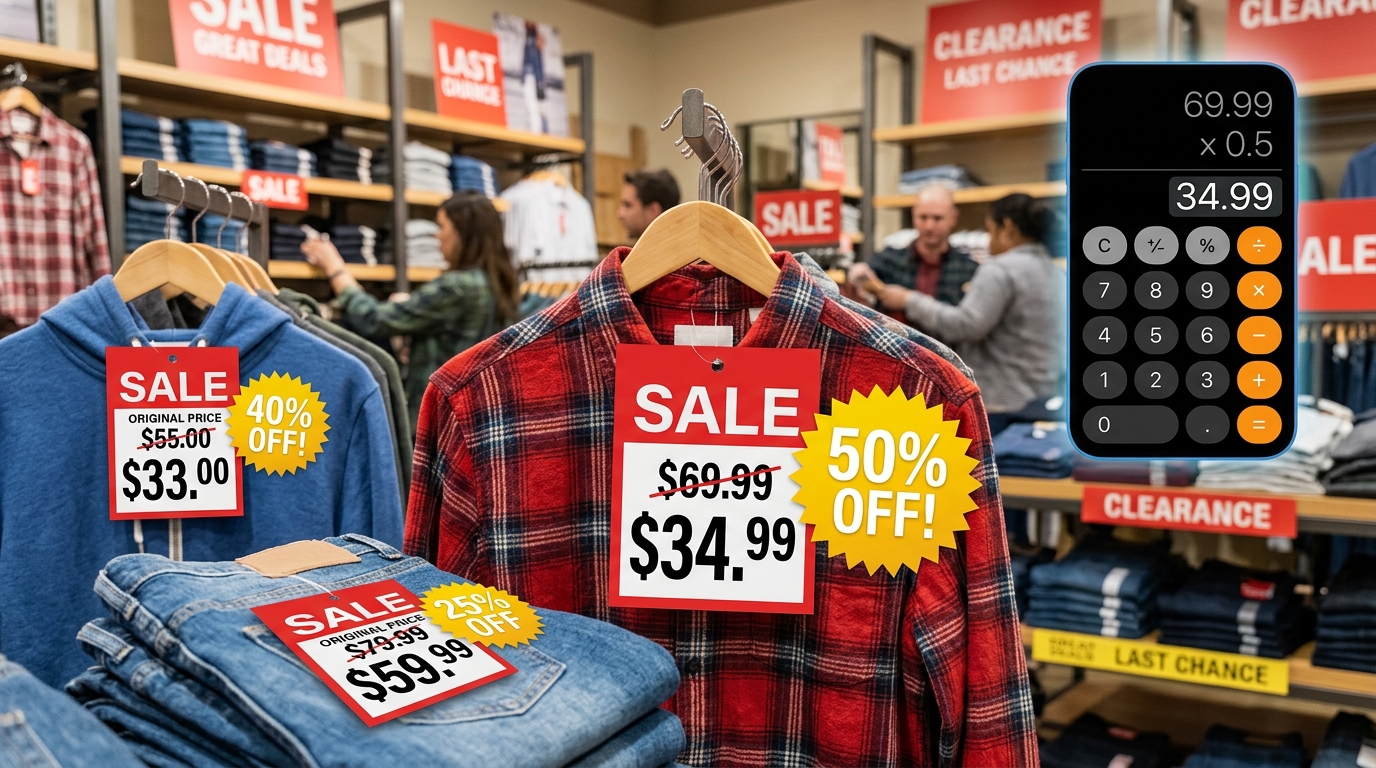
You are standing in a store, staring at a price tag that reads "79.99—3579.99 by 0.35, subtract that from 79.99,and—wait,wasthat51.99 or $52.00? Did you multiply correctly? What about sales tax?
We have all been there. Percentage discounts are everywhere — flash sales, clearance racks, coupon codes, wholesale pricing, Black Friday deals — but the mental math to calculate the final price is just unreliable enough to cause doubt.
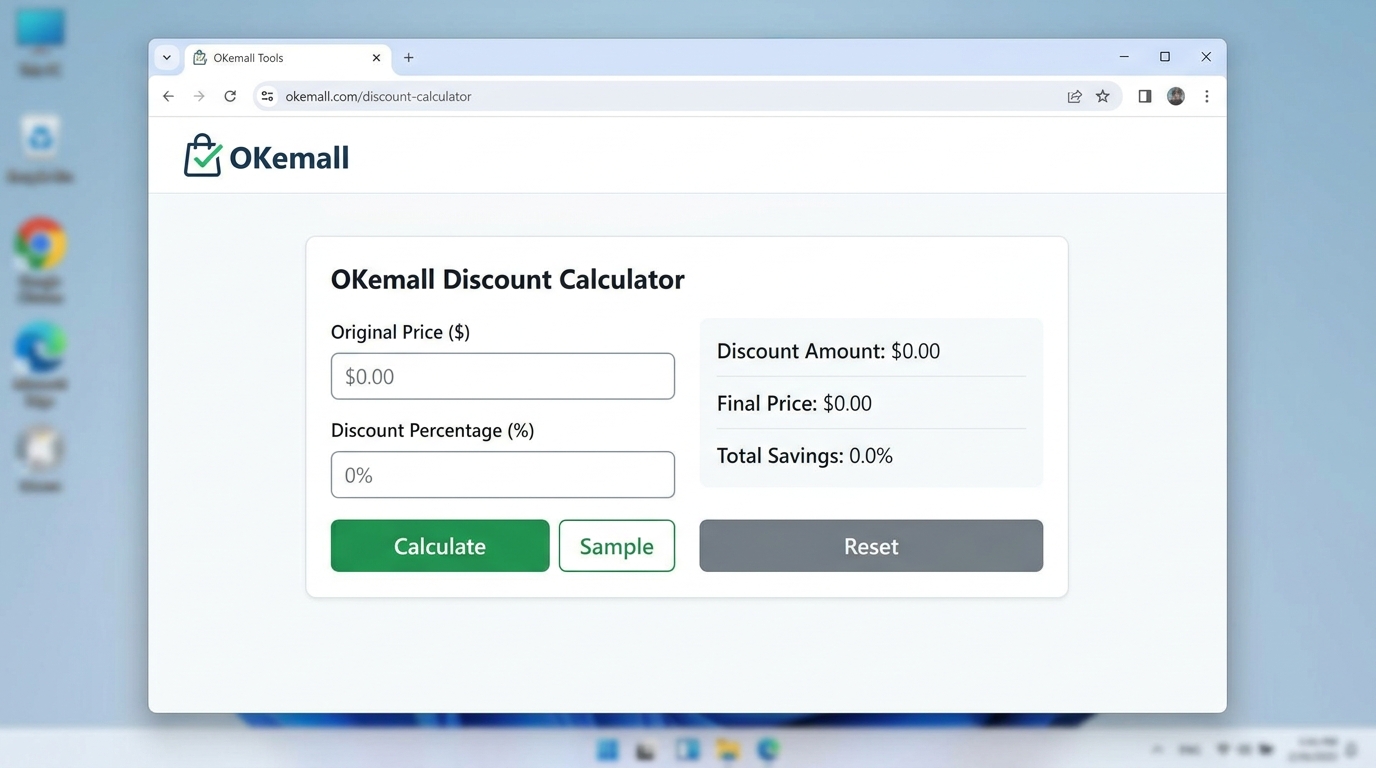
The OKemall Discount Calculator removes the guesswork entirely. Enter any original price and any discount percentage, and it instantly returns the exact sale price and the amount you save. No mental arithmetic, no calculator-button fumbling, no margin for error.
In this guide, we will explore how percentage discounts work, real-world scenarios where a discount calculator saves money and time, and how to use the OKemall Discount Calculator to become a smarter shopper and seller.
Why Mental Discount Math Fails
Calculating a percentage discount in your head seems straightforward: multiply the original price by the discount percentage, subtract the result from the original price. But in practice, several things go wrong:
Decimal placement errors. 35% off 79.99meansmultiplying79.99 by 0.35. But move the decimal point one place wrong and you are calculating 3.5% or 350% — both wildly incorrect.
Rounding mistakes. 79.99×0.35=27.9965. Do you round to 28.00?27.99? The difference is small, but across multiple items or in business contexts, those rounding errors compound.
Reverse calculation confusion. A store says "was 120,now78." What percentage discount is that? Calculating backward — (120 − 78) ÷ 120 × 100 — is not intuitive for most people.
Stacked discounts. A 20% off coupon on top of an already 15% off sale is not a 35% discount. It is a 15% discount first, then an additional 20% off the reduced price — a combined effective discount of 32%, not 35%. Getting this wrong can lead to incorrect budget expectations.
Bulk calculations. A store owner pricing 50 products at various discount levels cannot afford to calculate each one manually. The time investment alone — let alone the risk of errors — makes an online calculator indispensable.
An online discount calculator handles all of these cases. It never misplaces a decimal, never rounds incorrectly, and produces consistent, copy-ready results in one click.
How Discounts Actually Work
A percentage discount is one of the simplest pricing mechanisms in commerce, but it is worth understanding the exact math behind it:
The formula:
- Discount Amount = Original Price × (Discount Percentage ÷ 100)
- Sale Price = Original Price − Discount Amount
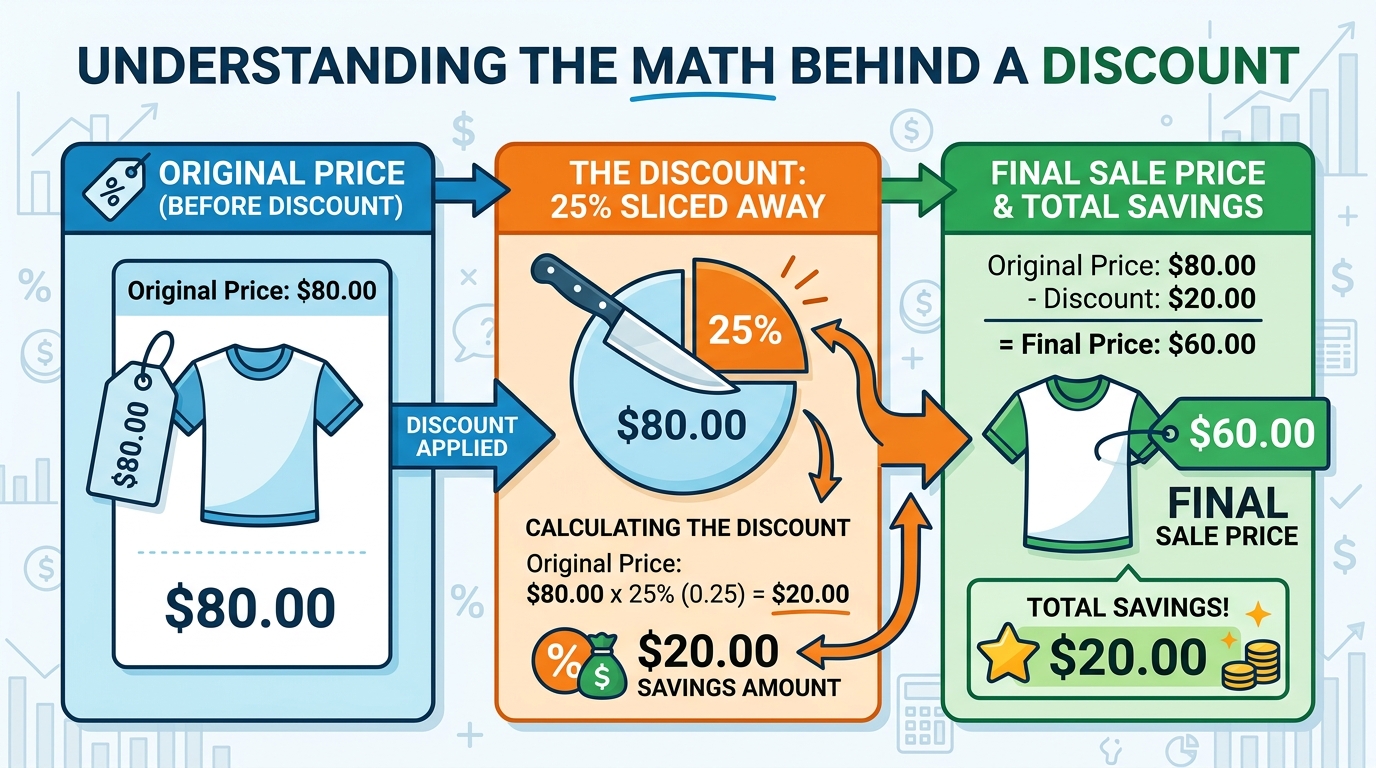
Example: Original price $80, discount 25%.
- Discount Amount = 80×0.25=∗∗20.00**
- Sale Price = 80−20.00 = $60.00
- You save $20.00.
Common misconception: A 50% off sale followed by another 50% off does not make the item free. It means 50% off the original price, then 50% off that reduced price. On a 100item:5050, then 50% off 50→25. The effective discount is 75%, not 100%.
Sales tax note: The discount calculator computes the pre-tax sale price. In most jurisdictions, sales tax is applied to the discounted price, not the original price. So a 100itemat2080 sale price) with 8% tax costs 86.40,not88.00 (which would be the tax on the original $100). Always apply tax to the discounted amount, and the calculator gives you that exact figure.
Real-World Scenarios Where a Discount Calculator Is Essential
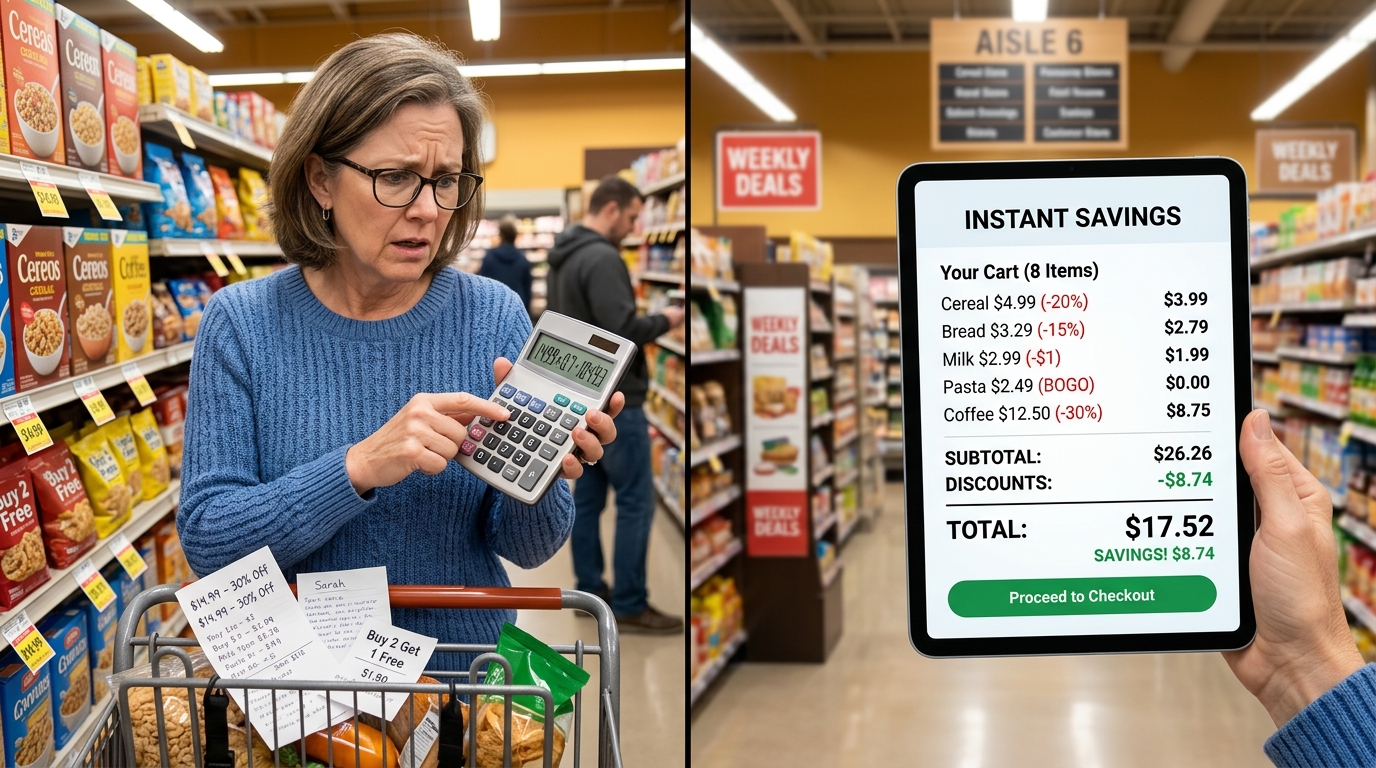
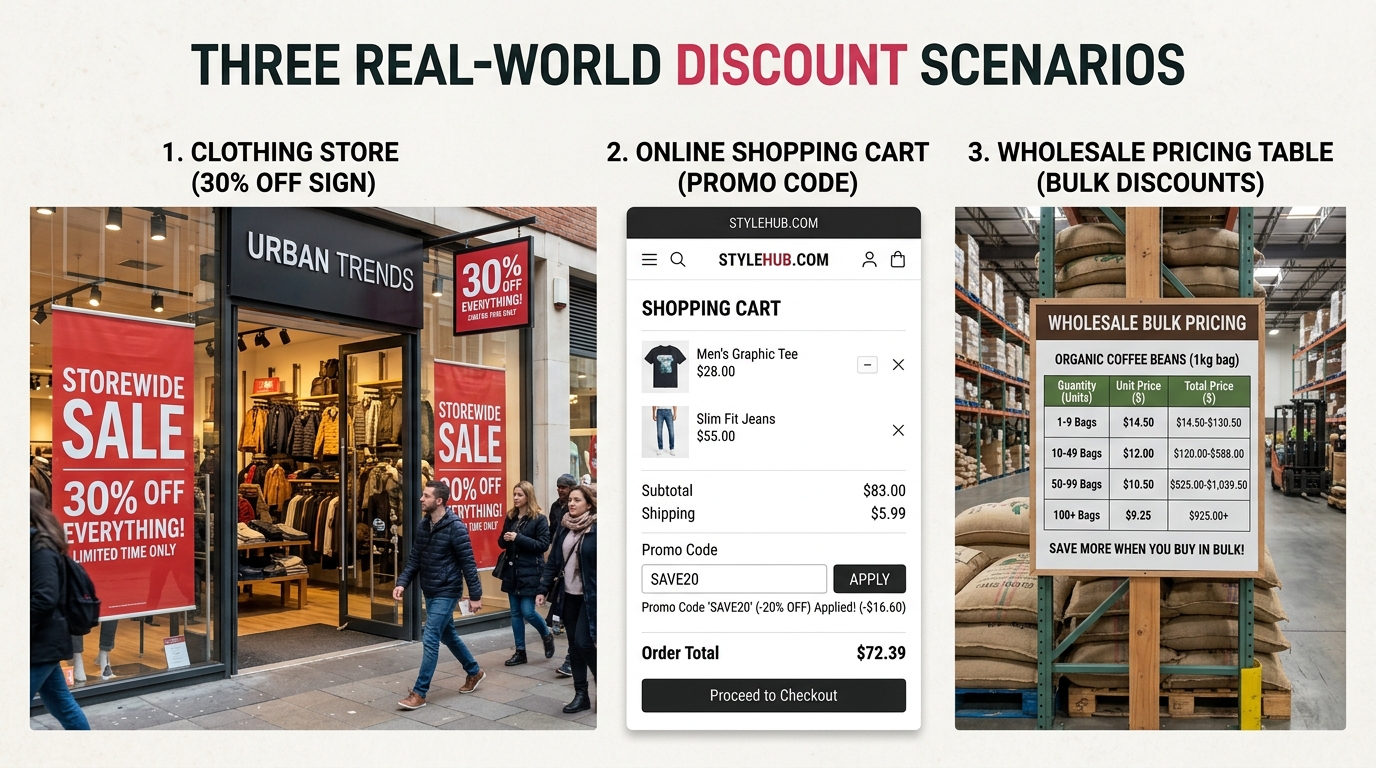
Scenario 1: The Savvy Shopper You are at a department store during a seasonal sale. A jacket is marked from 129.99to4077.99. Which is the better deal? With the discount calculator: 129.99at4077.99. They are identical. But without the calculator, cross-comparing percentage discounts against flat sale prices is guesswork.
Scenario 2: The Online Bargain Hunter You have a 50budgetandarebrowsinganonlinestorewithitemsrangingfrom15 to $80, all marked with different percentage discounts. Which items fit your budget after the discount? Running each through the calculator tells you instantly — no need to mental-math 10 different prices.
Scenario 3: The Store Owner You are running a flash sale and need to apply a 30% discount across 200 products. You need the new prices for your price tags, your website, and your POS system. Entering each original price into the discount calculator gives you exact sale prices that you can copy directly into your system, eliminating pricing errors.
Scenario 4: The Wholesale Buyer You are negotiating a bulk order. The supplier offers "15% off list price for orders over 100 units." The list price varies per item. You need accurate per-unit costs to calculate your margin before placing the order. The discount calculator gives you precise figures that feed directly into your pricing spreadsheet.
Scenario 5: The Coupon Stacker You have a 20% off promo code, the store is already running a 25% off sitewide sale, and you want to know your actual cost on a 200item.Step1:200 at 25% off = 150.Step2:150 at 20% off = 120.Totalsavings:80, or 40% off the original. The discount calculator handles each step accurately, preventing the common mistake of adding percentages together.
Scenario 6: The Budget-Conscious Gift Shopper You are buying gifts for multiple people with a fixed total budget. You need to know the after-discount price of each item to ensure you stay within budget. Quick, accurate calculations mean you know exactly what you can afford before reaching the checkout.
How to Use the OKemall Discount Calculator: Step-by-Step
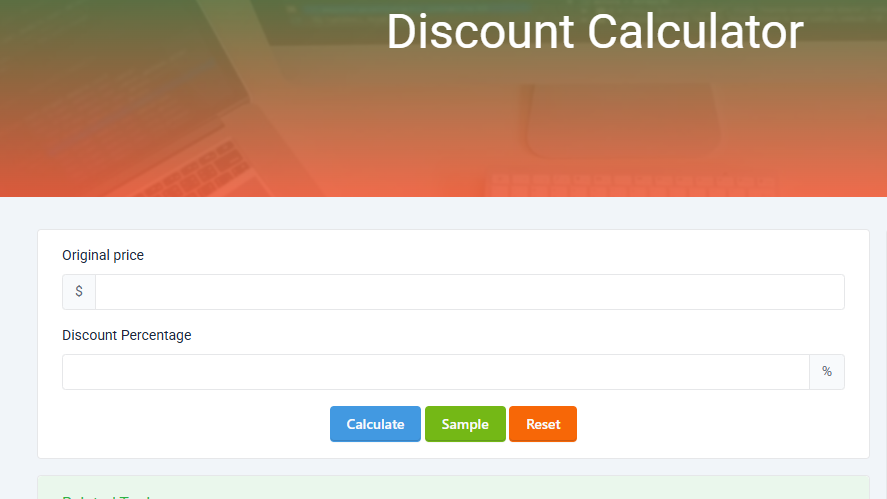
Step 1: Enter the original price. Type the item's full, undiscounted price into the "Original price" field. The dollar sign prefix is already there — just enter the number. You can use whole numbers (100) or decimals (79.99, 149.95) — the field accepts any numeric value.
Step 2: Enter the discount percentage. Type the discount percentage into the "Discount Percentage" field. Enter just the number — the percent sign is already appended. For a 25% discount, enter 25. For a 12.5% discount, enter 12.5. The field accepts decimals for precise percentage values.
Step 3: Click "Calculate." Press the teal Calculate button. The tool processes your input via Livewire and returns two values: the final sale price and the total amount you save. No page reload, no delay.
Step 4 (optional): Try the Sample button. Not sure what to enter? Click the lime "Sample" button to load a random example price and discount percentage. This is useful for exploring the tool's output format without entering your own numbers.
**Step 5 (optional): Click "Reset" to clear all fields and start fresh with new values.
What Makes OKemall's Discount Calculator Stand Out
Clean two-field interface. Only two inputs are required — original price and discount percentage. No extra fields, no confusing options, nothing that distracts from the core task.
Precise decimal handling. The tool accepts any decimal value for both price and percentage, and returns results with accurate rounding. Enter $79.99 at 33.3% off, and you get a precise result, not an approximation.
Instant server-side calculation. Built on Laravel Livewire, calculations happen on the server and return instantly. You are not relying on client-side JavaScript that could differ between browsers or be affected by ad blockers.
No registration, no ads interruption. Open the page, enter two numbers, click Calculate, done. No signup walls, no email gates, no paywalls between you and your sale price.
Sample button for quick exploration. The Sample button loads random values, letting you see how the calculator works without typing anything. Helpful for first-time users or anyone who wants to verify functionality before entering real data.
Mobile-friendly design. The responsive layout works on any device. Calculate discounts from your phone while you are shopping in-store — no need to find a desktop computer.
Multi-language support. The OKemall platform is available in 10 languages (English, Arabic, German, Spanish, French, Italian, Portuguese, Russian, Turkish, Vietnamese), making the calculator accessible worldwide.
Pro Tips for Smarter Discount Shopping
1. Use the "double-discount" method. When stacking discounts, run the calculator twice. First with the initial discount, then use the resulting sale price as the new original price with the second discount. This gives you the accurate combined price. Never add discount percentages together — 20% + 25% is not 45% off.
2. Compare using "savings amount." When deciding between two discounted items at different original prices and discount rates, compare the "savings" figure, not just the final price. Sometimes the higher-priced item with a bigger discount saves you more in absolute terms.
3. Set a "target price" before shopping. Decide what you are willing to pay for an item, then work backward. Enter your target price, try different discount percentages until you find the original price range that fits your budget after discount.
4. Bookmark for quick access. Add okemall.com/discount-calculator to your browser bookmarks or phone home screen. The faster you can calculate, the faster you can decide whether a deal is actually a deal.
5. Verify flash sale math. Online retailers sometimes display "was X,nowY" without showing the percentage. Enter the numbers into the discount calculator: Original = X,trydifferentpercentagesuntilthesalepricematchesY. This tells you the real discount percentage — and whether the deal is as good as it looks.
6. Use for margin planning. If you are a seller, enter your cost price as the "original price" and experiment with different discount percentages to see how low you can go while maintaining your required margin. Pair with the OKemall Margin Calculator for complete pricing analysis.
Related OKemall Calculators for Shoppers and Sellers
The Discount Calculator is part of a broader suite of financial and shopping tools on OKemall:
- Sales Tax Calculator — Add sales tax to your discounted price for the true out-the-door cost.
- Margin Calculator — Calculate profit margins to ensure discounted prices remain profitable.
- Percentage Calculator — General percentage calculations for any context.
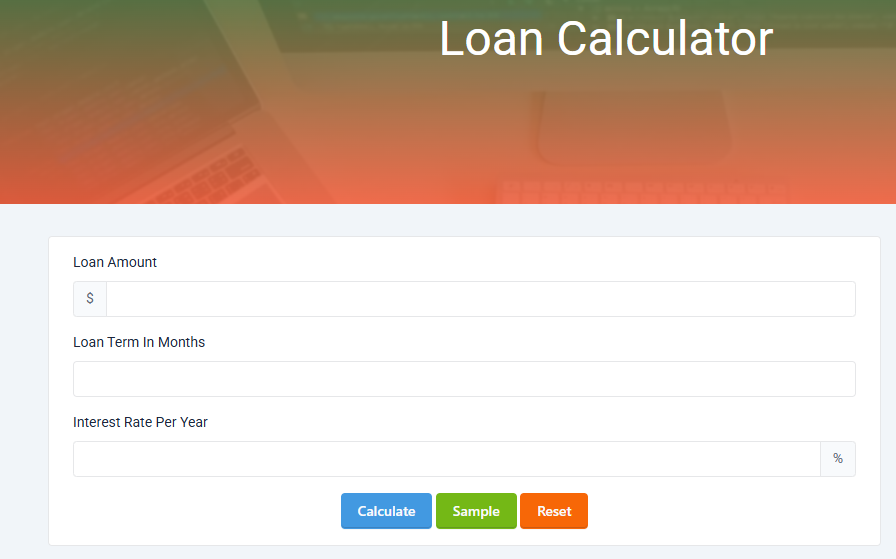
- Loan Calculator — Calculate loan payments and interest for financed purchases.
- GST Calculator — Calculate GST-inclusive and GST-exclusive prices.
- Average Calculator — Calculate the average price across multiple discounted items.
Frequently Asked Questions
Q: Is the OKemall Discount Calculator free? Yes, completely free. No signup, no registration, no usage limits.
Q: Does the calculator include sales tax? No. The calculator computes the pre-tax discounted price and savings. Use the OKemall Sales Tax Calculator to add tax to the discounted price.
Q: Can I use decimal values for price and percentage? Yes. Both fields accept decimal values. Enter $79.99, and 12.5% — the calculator handles them precisely.
Q: How does the calculator handle rounding? The calculator returns results rounded to two decimal places, consistent with standard currency formatting.
Q: Can I calculate what percentage discount was applied? The calculator computes the sale price and savings from a given original price and discount percentage. To find what percentage a given sale price represents, enter the original price and try different discount percentages until the sale price matches.
Q: Does the tool work on mobile? Yes, the interface is fully responsive and works on smartphones and tablets.
Q: What if I enter a discount over 100%? The calculator will process it, but a discount over 100% would result in a negative sale price — not a realistic commercial scenario. Stick to 0–100% for practical use.
Conclusion
Percentage discounts are the most common promotional mechanism in retail, yet the math behind them trips up shoppers and sellers alike on a daily basis. A misplaced decimal, a rounded-up savings amount, or a misunderstanding of stacked discounts can mean the difference between a great deal and an overpriced purchase.
The OKemall Discount Calculator eliminates every one of those failure points. Two inputs — original price and discount percentage — produce precise, instantly usable results: the exact sale price and the exact amount you save. No math. No memorization. No mistakes.
Whether you are a shopper checking if a sale is really a sale, a store owner pricing inventory for a promotion, or a bargain hunter stacking coupons for maximum savings, this tool belongs in your bookmarks. It is free, it works on any device, and it takes exactly three seconds to use.
Stop guessing at discount prices. Try the OKemall Discount Calculator now — accurate, instant, and always free.
Introduction
You are standing in a store, staring at a price tag that reads "79.99—3579.99 by 0.35, subtract that from 79.99,and—wait,wasthat51.99 or $52.00? Did you multiply correctly? What about sales tax?
We have all been there. Percentage discounts are everywhere — flash sales, clearance racks, coupon codes, wholesale pricing, Black Friday deals — but the mental math to calculate the final price is just unreliable enough to cause doubt.
The OKemall Discount Calculator removes the guesswork entirely. Enter any original price and any discount percentage, and it instantly returns the exact sale price and the amount you save. No mental arithmetic, no calculator-button fumbling, no margin for error.
In this guide, we will explore how percentage discounts work, real-world scenarios where a discount calculator saves money and time, and how to use the OKemall Discount Calculator to become a smarter shopper and seller.
[Suggested Image 1: Hero image — price tags, percentage badges, calculator overlay]
Why Mental Discount Math Fails
Calculating a percentage discount in your head seems straightforward: multiply the original price by the discount percentage, subtract the result from the original price. But in practice, several things go wrong:
Decimal placement errors. 35% off 79.99meansmultiplying79.99 by 0.35. But move the decimal point one place wrong and you are calculating 3.5% or 350% — both wildly incorrect.
Rounding mistakes. 79.99×0.35=27.9965. Do you round to 28.00?27.99? The difference is small, but across multiple items or in business contexts, those rounding errors compound.
Reverse calculation confusion. A store says "was 120,now78." What percentage discount is that? Calculating backward — (120 − 78) ÷ 120 × 100 — is not intuitive for most people.
Stacked discounts. A 20% off coupon on top of an already 15% off sale is not a 35% discount. It is a 15% discount first, then an additional 20% off the reduced price — a combined effective discount of 32%, not 35%. Getting this wrong can lead to incorrect budget expectations.
Bulk calculations. A store owner pricing 50 products at various discount levels cannot afford to calculate each one manually. The time investment alone — let alone the risk of errors — makes an online calculator indispensable.
An online discount calculator handles all of these cases. It never misplaces a decimal, never rounds incorrectly, and produces consistent, copy-ready results in one click.
[Suggested Image 2: Screenshot of the OKemall Discount Calculator interface]
How Discounts Actually Work
A percentage discount is one of the simplest pricing mechanisms in commerce, but it is worth understanding the exact math behind it:
The formula:
- Discount Amount = Original Price × (Discount Percentage ÷ 100)
- Sale Price = Original Price − Discount Amount
Example: Original price $80, discount 25%.
- Discount Amount = 80×0.25=∗∗20.00**
- Sale Price = 80−20.00 = $60.00
- You save $20.00.
Common misconception: A 50% off sale followed by another 50% off does not make the item free. It means 50% off the original price, then 50% off that reduced price. On a 100item:5050, then 50% off 50→25. The effective discount is 75%, not 100%.
Sales tax note: The discount calculator computes the pre-tax sale price. In most jurisdictions, sales tax is applied to the discounted price, not the original price. So a 100itemat2080 sale price) with 8% tax costs 86.40,not88.00 (which would be the tax on the original $100). Always apply tax to the discounted amount, and the calculator gives you that exact figure.
[Suggested Image 3: Infographic showing the discount math — original price, percentage slice, sale price, savings]
Real-World Scenarios Where a Discount Calculator Is Essential
Scenario 1: The Savvy Shopper You are at a department store during a seasonal sale. A jacket is marked from 129.99to4077.99. Which is the better deal? With the discount calculator: 129.99at4077.99. They are identical. But without the calculator, cross-comparing percentage discounts against flat sale prices is guesswork.
Scenario 2: The Online Bargain Hunter You have a 50budgetandarebrowsinganonlinestorewithitemsrangingfrom15 to $80, all marked with different percentage discounts. Which items fit your budget after the discount? Running each through the calculator tells you instantly — no need to mental-math 10 different prices.
Scenario 3: The Store Owner You are running a flash sale and need to apply a 30% discount across 200 products. You need the new prices for your price tags, your website, and your POS system. Entering each original price into the discount calculator gives you exact sale prices that you can copy directly into your system, eliminating pricing errors.
Scenario 4: The Wholesale Buyer You are negotiating a bulk order. The supplier offers "15% off list price for orders over 100 units." The list price varies per item. You need accurate per-unit costs to calculate your margin before placing the order. The discount calculator gives you precise figures that feed directly into your pricing spreadsheet.
Scenario 5: The Coupon Stacker You have a 20% off promo code, the store is already running a 25% off sitewide sale, and you want to know your actual cost on a 200item.Step1:200 at 25% off = 150.Step2:150 at 20% off = 120.Totalsavings:80, or 40% off the original. The discount calculator handles each step accurately, preventing the common mistake of adding percentages together.
Scenario 6: The Budget-Conscious Gift Shopper You are buying gifts for multiple people with a fixed total budget. You need to know the after-discount price of each item to ensure you stay within budget. Quick, accurate calculations mean you know exactly what you can afford before reaching the checkout.
[Suggested Image 4: Real-world shopping scenarios — retail store, online cart, wholesale pricing]
How to Use the OKemall Discount Calculator: Step-by-Step
Step 1: Enter the original price. Type the item's full, undiscounted price into the "Original price" field. The dollar sign prefix is already there — just enter the number. You can use whole numbers (100) or decimals (79.99, 149.95) — the field accepts any numeric value.
Step 2: Enter the discount percentage. Type the discount percentage into the "Discount Percentage" field. Enter just the number — the percent sign is already appended. For a 25% discount, enter 25. For a 12.5% discount, enter 12.5. The field accepts decimals for precise percentage values.
Step 3: Click "Calculate." Press the teal Calculate button. The tool processes your input via Livewire and returns two values: the final sale price and the total amount you save. No page reload, no delay.
Step 4 (optional): Try the Sample button. Not sure what to enter? Click the lime "Sample" button to load a random example price and discount percentage. This is useful for exploring the tool's output format without entering your own numbers.
**Step 5 (optional): Click "Reset" to clear all fields and start fresh with new values.
What Makes OKemall's Discount Calculator Stand Out
Clean two-field interface. Only two inputs are required — original price and discount percentage. No extra fields, no confusing options, nothing that distracts from the core task.
Precise decimal handling. The tool accepts any decimal value for both price and percentage, and returns results with accurate rounding. Enter $79.99 at 33.3% off, and you get a precise result, not an approximation.
Instant server-side calculation. Built on Laravel Livewire, calculations happen on the server and return instantly. You are not relying on client-side JavaScript that could differ between browsers or be affected by ad blockers.
No registration, no ads interruption. Open the page, enter two numbers, click Calculate, done. No signup walls, no email gates, no paywalls between you and your sale price.
Sample button for quick exploration. The Sample button loads random values, letting you see how the calculator works without typing anything. Helpful for first-time users or anyone who wants to verify functionality before entering real data.
Mobile-friendly design. The responsive layout works on any device. Calculate discounts from your phone while you are shopping in-store — no need to find a desktop computer.
Multi-language support. The OKemall platform is available in 10 languages (English, Arabic, German, Spanish, French, Italian, Portuguese, Russian, Turkish, Vietnamese), making the calculator accessible worldwide.
Pro Tips for Smarter Discount Shopping
1. Use the "double-discount" method. When stacking discounts, run the calculator twice. First with the initial discount, then use the resulting sale price as the new original price with the second discount. This gives you the accurate combined price. Never add discount percentages together — 20% + 25% is not 45% off.
2. Compare using "savings amount." When deciding between two discounted items at different original prices and discount rates, compare the "savings" figure, not just the final price. Sometimes the higher-priced item with a bigger discount saves you more in absolute terms.
3. Set a "target price" before shopping. Decide what you are willing to pay for an item, then work backward. Enter your target price, try different discount percentages until you find the original price range that fits your budget after discount.
4. Bookmark for quick access. Add okemall.com/discount-calculator to your browser bookmarks or phone home screen. The faster you can calculate, the faster you can decide whether a deal is actually a deal.
5. Verify flash sale math. Online retailers sometimes display "was X,nowY" without showing the percentage. Enter the numbers into the discount calculator: Original = X,trydifferentpercentagesuntilthesalepricematchesY. This tells you the real discount percentage — and whether the deal is as good as it looks.
6. Use for margin planning. If you are a seller, enter your cost price as the "original price" and experiment with different discount percentages to see how low you can go while maintaining your required margin. Pair with the OKemall Margin Calculator for complete pricing analysis.
Related OKemall Calculators for Shoppers and Sellers
The Discount Calculator is part of a broader suite of financial and shopping tools on OKemall:
- Sales Tax Calculator — Add sales tax to your discounted price for the true out-the-door cost.
- Margin Calculator — Calculate profit margins to ensure discounted prices remain profitable.
- Percentage Calculator — General percentage calculations for any context.
- Loan Calculator — Calculate loan payments and interest for financed purchases.
- GST Calculator — Calculate GST-inclusive and GST-exclusive prices.
- Average Calculator — Calculate the average price across multiple discounted items.
Frequently Asked Questions
Q: Is the OKemall Discount Calculator free? Yes, completely free. No signup, no registration, no usage limits.
Q: Does the calculator include sales tax? No. The calculator computes the pre-tax discounted price and savings. Use the OKemall Sales Tax Calculator to add tax to the discounted price.
Q: Can I use decimal values for price and percentage? Yes. Both fields accept decimal values. Enter $79.99, and 12.5% — the calculator handles them precisely.
Q: How does the calculator handle rounding? The calculator returns results rounded to two decimal places, consistent with standard currency formatting.
Q: Can I calculate what percentage discount was applied? The calculator computes the sale price and savings from a given original price and discount percentage. To find what percentage a given sale price represents, enter the original price and try different discount percentages until the sale price matches.
Q: Does the tool work on mobile? Yes, the interface is fully responsive and works on smartphones and tablets.
Q: What if I enter a discount over 100%? The calculator will process it, but a discount over 100% would result in a negative sale price — not a realistic commercial scenario. Stick to 0–100% for practical use.
Percentage discounts are the most common promotional mechanism in retail, yet the math behind them trips up shoppers and sellers alike on a daily basis. A misplaced decimal, a rounded-up savings amount, or a misunderstanding of stacked discounts can mean the difference between a great deal and an overpriced purchase.
The OKemall Discount Calculator eliminates every one of those failure points. Two inputs — original price and discount percentage — produce precise, instantly usable results: the exact sale price and the exact amount you save. No math. No memorization. No mistakes.
Whether you are a shopper checking if a sale is really a sale, a store owner pricing inventory for a promotion, or a bargain hunter stacking coupons for maximum savings, this tool belongs in your bookmarks. It is free, it works on any device, and it takes exactly three seconds to use.
Stop guessing at discount prices. Try the OKemall Discount Calculator now — accurate, instant, and always free.

.png)