 English
 العربية
 Deutsch
 Español
 Français
 Italiano
 Português
 Русский
 Türkçe
 Tiếng Việt
Free Password Generator – Create Strong, Secure & Random Passwords Online
The average person has over 100 online accounts. Email, banking, social media, shopping, streaming, cloud storage, work portals — the list never ends. And every single one of those accounts is protected by a password. Yet studies consistently show that the most common passwords in the world are still things like "123456", "password", and "qwerty".
That's not just careless — it's dangerous. Weak passwords are responsible for over 80% of data breaches, according to cybersecurity reports. The single most effective thing you can do to protect your digital life is to use strong, random, unique passwords for every account. And the easiest way to create them? A password generator.
In this complete guide, we'll break down why human-created passwords fail, how password generators work, what makes a password truly strong, and how to use the free OKemall Password Generator to lock down your accounts in seconds.
.svg)
Why Human-Created Passwords Are Dangerously Predictable
Before we talk about generating passwords, it's important to understand why you shouldn't create them yourself.
The Human Brain Is Terrible at Randomness
When asked to create a "random" password, people inevitably follow predictable patterns:
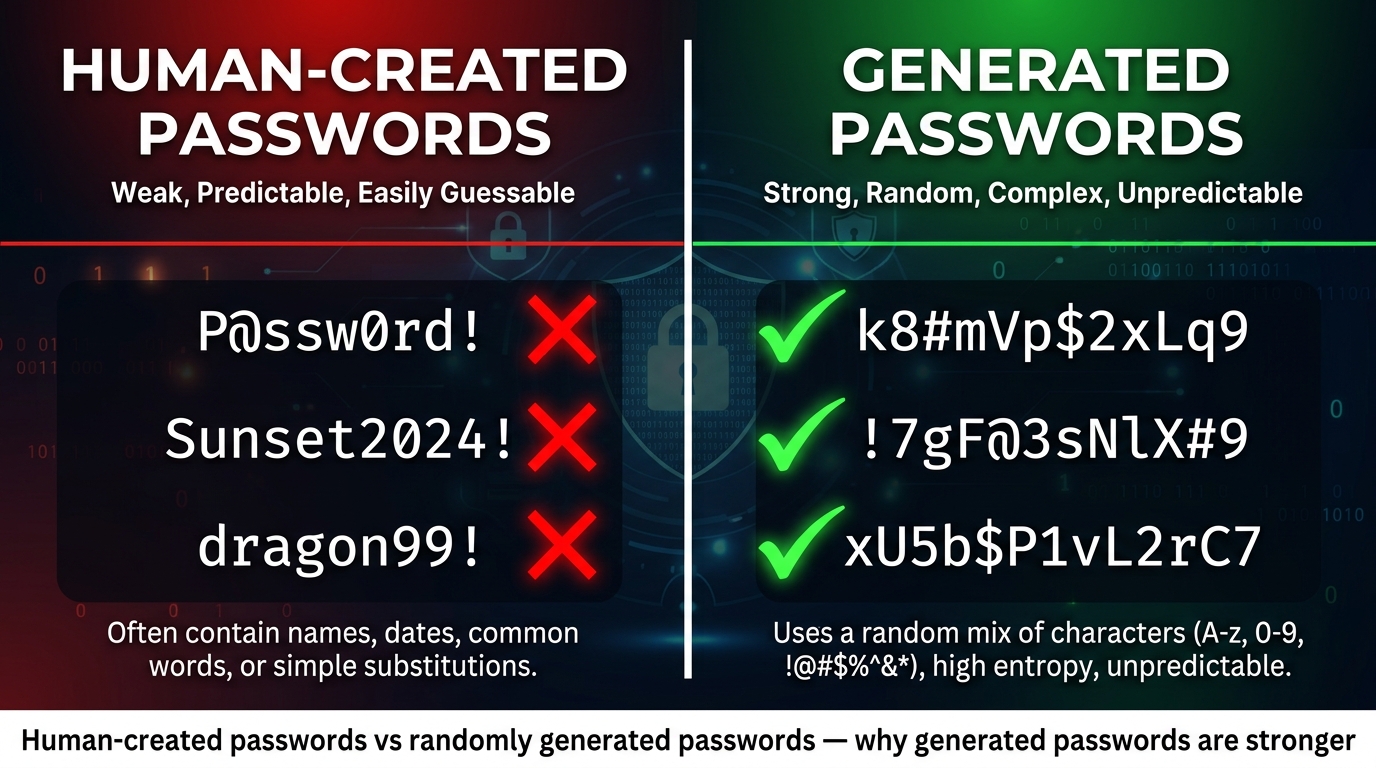
- Substituting letters with similar-looking numbers:
P@ssw0rd!looks clever, but attackers know this trick. It's in every password cracking dictionary. - Using familiar words with capitalization:
SunsetBeach2024!seems strong, but it follows a readable pattern that can be cracked in seconds. - Adding a number and symbol at the end:
dragon99!— one of the most common password structures ever analyzed. - Using keyboard patterns:
qwerty123!,1qaz2wsx,!@#$%^&*— these are all in cracking databases. - Personal information: Birthdays, pet names, spouse names, favorite sports teams — all easily discoverable through social media.
Password Cracking Is Faster Than You Think
Modern password cracking tools can test:
A 6-character password using only lowercase letters has just 308 million possible combinations. A modern GPU can crack it in under 1 second. A 12-character password with mixed case, numbers, and symbols has over 3 sextillion possibilities — it would take billions of years to crack.
The lesson is clear: length and randomness are your two greatest allies. And a password generator delivers both.
What Is a Password Generator?
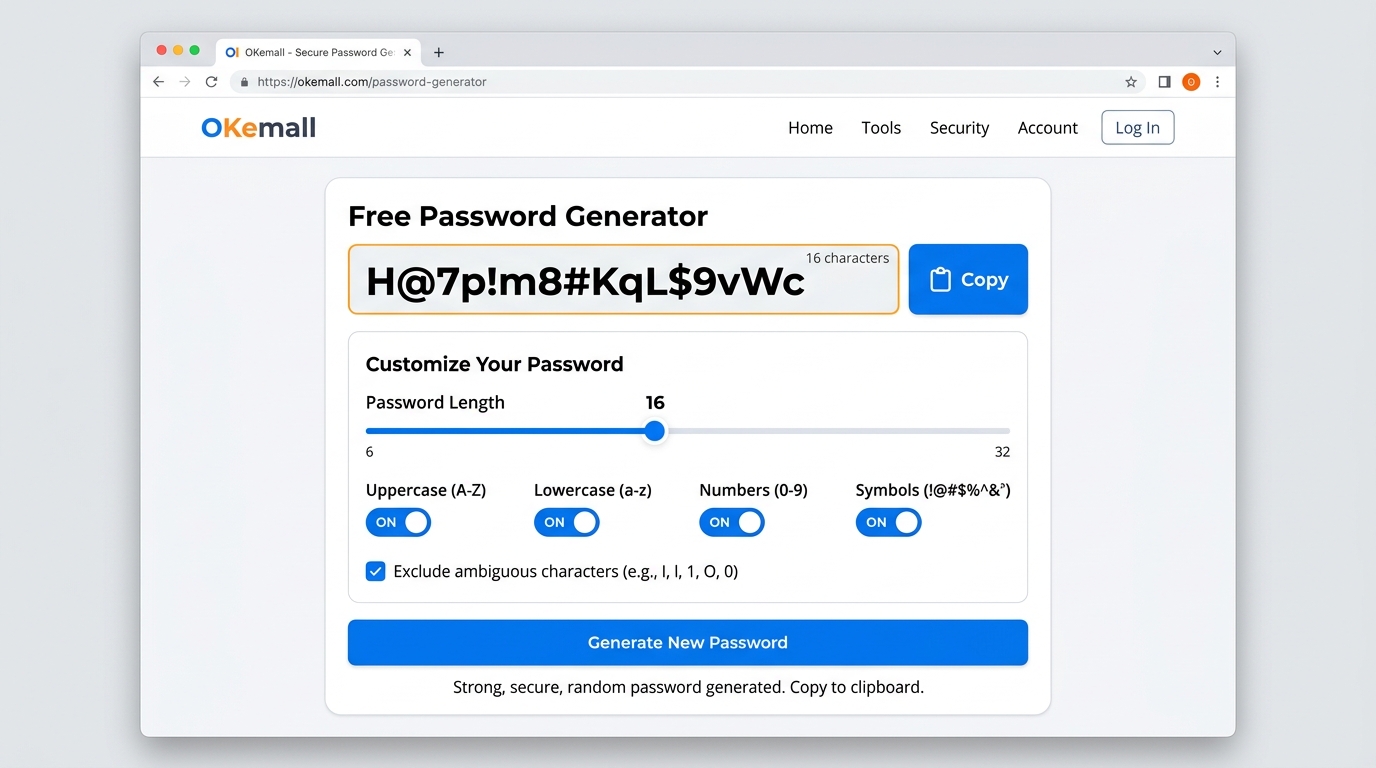
A password generator is a tool that creates completely random strings of characters based on parameters you choose. Instead of relying on your brain to come up with something "random," the generator uses a cryptographically secure random number generator (CSPRNG) to produce truly unpredictable sequences.
The OKemall Password Generator lets you control:
- Password length — from 4 characters to 128+ characters
- Uppercase letters — A through Z
- Lowercase letters — a through z
- Numbers — 0 through 9
- Symbols — !@#$%^&*()_+-=[]{}|;:',.<>?/
- Exclude ambiguous characters — removes characters like l, 1, I, O, 0 that look similar
- Number of passwords — generate one or multiple at once
How a Password Generator Works — Flowchart
This entire process happens in milliseconds, and because it uses cryptographically secure randomness, the output is truly unpredictable — far beyond what any human could create.
What Makes a Password "Strong"? The Science Explained
Password strength isn't subjective — it's a mathematical concept called entropy, measured in bits. Entropy represents how unpredictable a password is.
The Entropy Formula
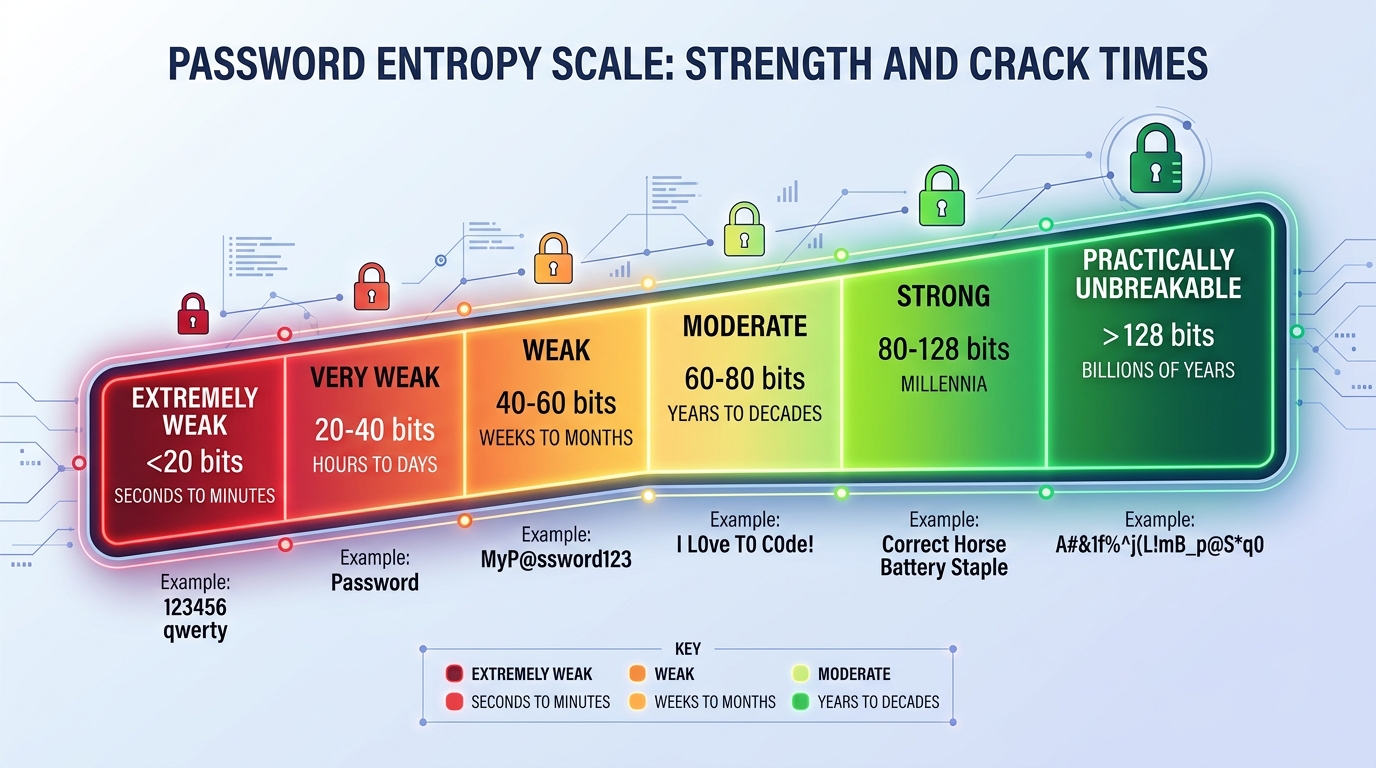
What do these numbers mean in practice?
The takeaway: A 16-character password using uppercase, lowercase, numbers, and symbols provides 105 bits of entropy — making it effectively impossible to crack with any known technology, including quantum computers in the foreseeable future.
How to Use the OKemall Password Generator
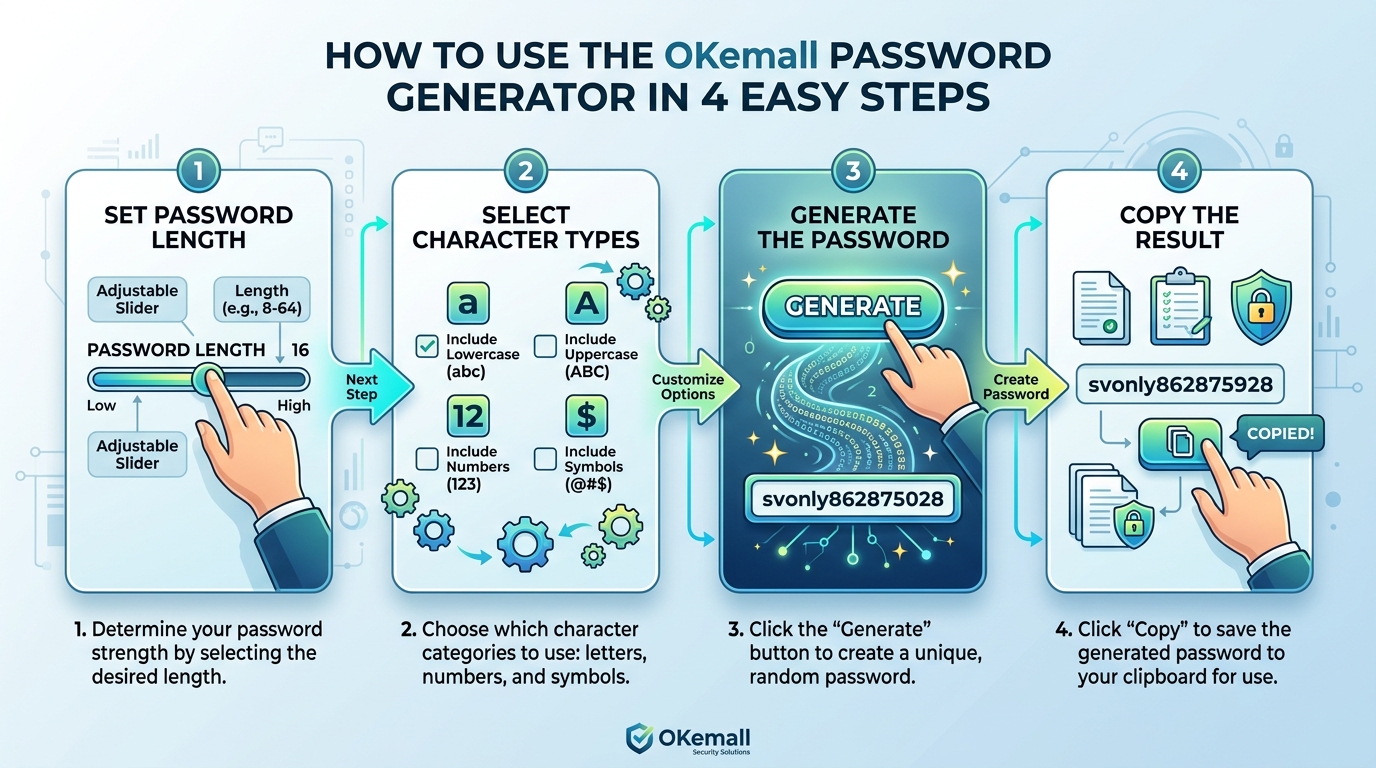
Getting a secure password takes just a few seconds:
Step 1: Set Your Password Length
Use the slider or input field to choose your desired length. We recommend at least 16 characters for maximum security. Most modern websites support passwords up to 64 or even 128 characters.
Step 2: Choose Your Character Types
Enable the toggles for:
- ✅ Uppercase letters (recommended)
- ✅ Lowercase letters (recommended)
- ✅ Numbers (recommended)
- ✅ Symbols (recommended — but verify the target website accepts them)
Step 3: Optional — Exclude Ambiguous Characters
If you plan to type the password manually on a device where copy-paste isn't available, enable this option to remove easily confused characters like:
- Lowercase
lvs number1vs uppercaseI - Uppercase
Ovs number0
Step 4: Generate and Copy
Click "Generate Password" and your random password appears instantly. Click the copy button to save it to your clipboard. The password is generated locally in your browser — it is never sent to any server.
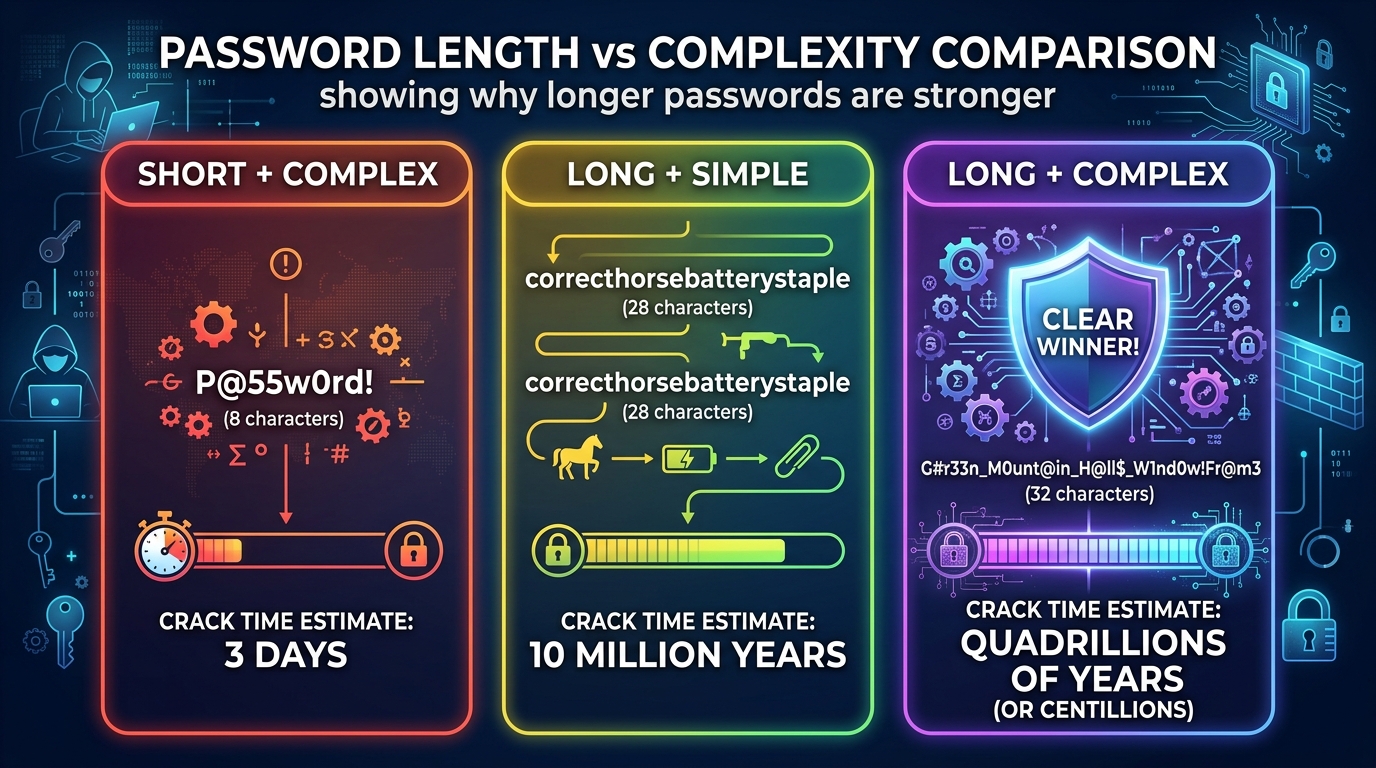
Password Length vs Complexity: Which Matters More?
There's an ongoing debate in cybersecurity: is a longer simple password better than a shorter complex one?
The Answer: Length Wins
A 20-character password using only lowercase letters is stronger than an 8-character password using every character type.
Best practice: Use both — maximum length AND maximum character diversity. A password generator makes this effortless.
Where to Store Your Generated Passwords
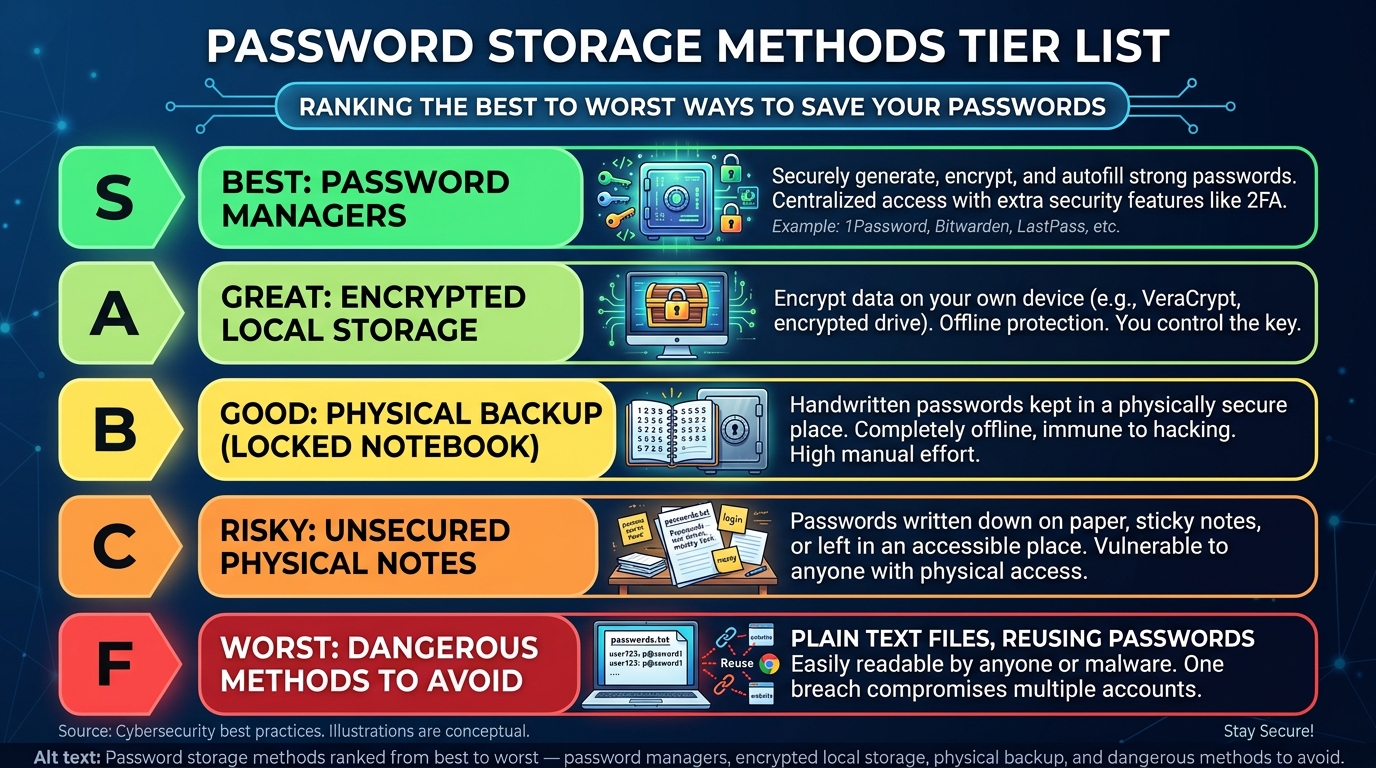
Generating strong passwords is only half the battle. You also need to store them securely. Here are your options, ranked from best to worst:
🥇 Password Managers (Highly Recommended)
Tools like Bitwarden, 1Password, Dashlane, and NordPass encrypt and store all your passwords in a secure vault. You only need to remember one master password — make it a long passphrase like correct-horse-battery-staple-47. The manager handles everything else.
Benefits:
- Auto-fills passwords on websites and apps
- Syncs across all your devices
- Can generate passwords built-in (but OKemall works great too)
- Alerts you to data breaches affecting your accounts
- Stores secure notes, credit cards, and IDs
🥈 Encrypted Local Storage
If you don't trust cloud services, you can store passwords in an encrypted local file using tools like:
- KeePass (open-source, local database)
- KeePassXC (cross-platform KeePass variant)
🥉 Physical Backup (Last Resort)
Writing passwords in a physical notebook stored in a secure location (like a safe) is better than reusing weak passwords, but it's not ideal. It can't auto-fill, can't be backed up, and is vulnerable to theft, fire, or loss.
❌ NEVER Do This
- Don't save passwords in a plain text file on your computer or phone
- Don't email passwords to yourself
- Don't store them in Notes apps without encryption
- Don't reuse passwords across accounts — if one gets breached, all your accounts are compromised
- Don't share passwords via text message or chat
Password Security Best Practices for 2025
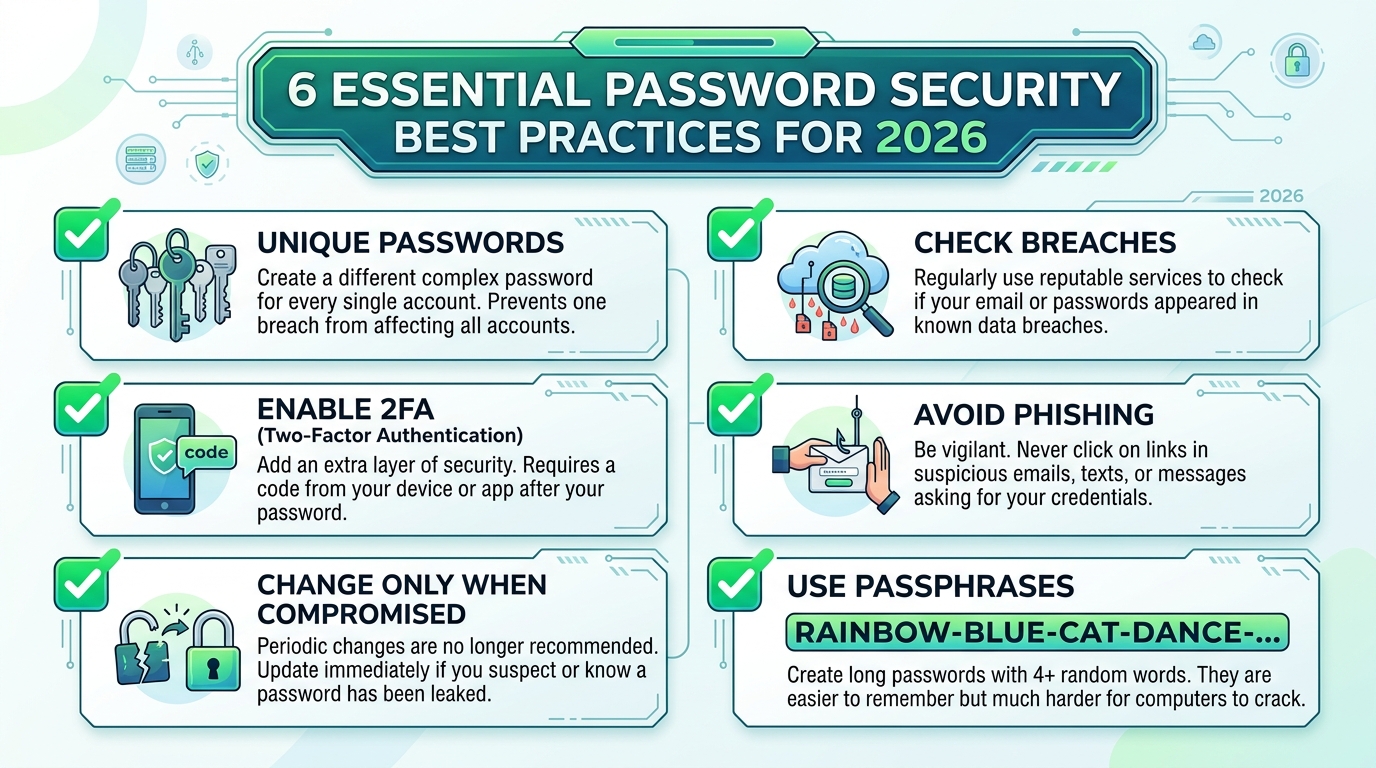
Beyond using a password generator, follow these essential security practices:
1. Use a Unique Password for Every Account
This is non-negotiable. When a company gets breached (and they will — over 22 billion records were exposed in 2023 alone), attackers try those leaked email/password combinations on every other popular website. This is called credential stuffing, and it only works if you reuse passwords.
2. Enable Two-Factor Authentication (2FA)
Even the strongest password can be compromised through phishing, keylogging, or database breaches. 2FA adds a second verification step — usually a code from an authenticator app like Google Authenticator, Authy, or a hardware security key like YubiKey.
3. Change Passwords Only When Compromised
The old advice of changing passwords every 30–90 days is outdated and counterproductive. It leads to weaker passwords (people just increment numbers: Password1! → Password2!). Only change a password when:
- You learn it was involved in a data breach
- You suspect unauthorized access
- You've shared it with someone who shouldn't have it
4. Check for Breaches Regularly
Visit haveibeenpwned.com periodically to check if your email or passwords have appeared in known data breaches.
5. Be Wary of Phishing
No legitimate company will ever ask for your password via email, phone, or text. If you receive a request like this, it's almost certainly a phishing attack.
6. Use a Passphrase for Your Master Password
For your password manager's master password (the one you actually need to remember), use a passphrase — 4–6 random words separated by hyphens or spaces:
This is easy to type, easy to remember, and extremely hard to crack due to its length.
Common Password Generator Questions Answered
Are online password generators safe to use?
Yes — if they generate passwords client-side (in your browser) like the OKemall Password Generator does. The password is never transmitted to any server. Avoid generators that require you to send your requirements to a remote server.
Can the password generator be predicted or reverse-engineered?
No. The OKemall Password Generator uses your browser's built-in crypto.getRandomValues() function, which taps into your operating system's cryptographic random number generator. This is the same technology used in TLS/SSL encryption — it is not predictable.
What if a website doesn't accept special characters?
Simply disable the symbols option in the generator and regenerate. A 20-character password with just letters and numbers is still extremely strong (95 bits of entropy).
How long should my password be?
Minimum 12 characters for standard accounts. 16+ characters for important accounts (email, banking, password manager). 20+ characters if you want to be future-proof against quantum computing advances.
Should I memorize my generated passwords?
No — that defeats the purpose. Use a password manager. The only password you should memorize is your master password (which should be a memorable passphrase, not a random string).
Can I use the password generator on my phone?
Absolutely. The OKemall Password Generator is fully responsive and works perfectly on all mobile devices. Generate, copy, and paste directly into your mobile apps.
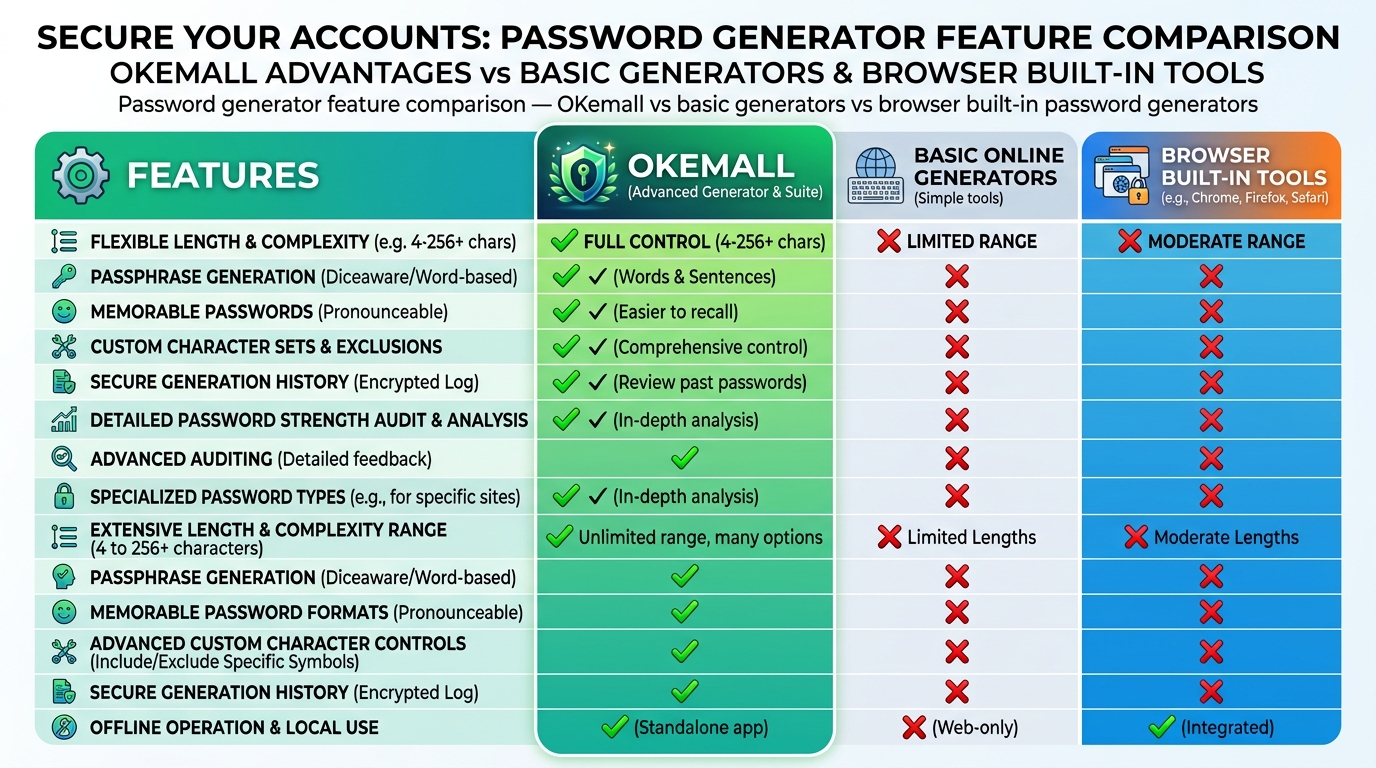
Password Generator Feature Comparison
Not all password generators are created equal. Here's what to look for:
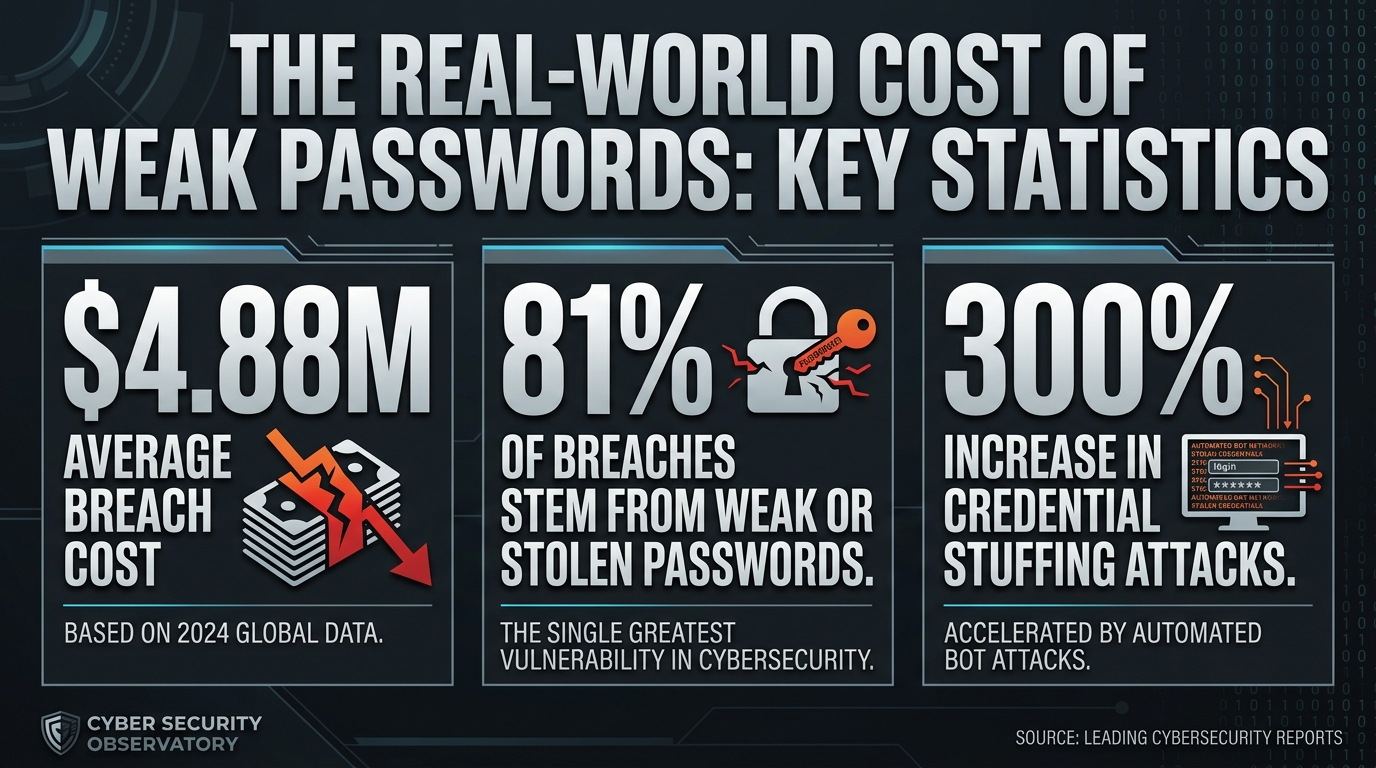
The Real-World Cost of Weak Passwords
If you're still not convinced that password security matters, consider these statistics:
- The average cost of a data breach in 2024 was $4.88 million (IBM Cost of a Data Breach Report)
- 81% of hacking-related breaches leveraged stolen or weak passwords (Verizon DBIR)
- Credential stuffing attacks increased by 300% year-over-year
- The average person reuses their password across 5–7 accounts
- It takes an average of 194 days to identify a breach
A single weak password can cascade into:
- Identity theft — criminals open accounts in your name
- Financial loss — drained bank accounts, fraudulent purchases
- Reputation damage — compromised social media accounts posting spam or scams
- Professional consequences — breached work accounts affecting your entire organization
- Emotional stress — the aftermath of a breach can take months to resolve
Using a password generator for every account is the single simplest, most effective step you can take to prevent all of this.
In an era where data breaches are daily headlines and cybercriminals have access to incredibly powerful cracking tools, password security is not optional — it's essential. The old approach of creating your own passwords from familiar words and predictable patterns is no longer sufficient.
A password generator eliminates human predictability entirely. By creating truly random, high-entropy passwords with the right combination of length and character diversity, you transform your accounts from easy targets into fortresses that would take billions of years to crack.
The best part? It takes zero effort. Visit the OKemall Password Generator, set your preferences, click generate, and you have a military-grade password in under a second. Pair it with a password manager and two-factor authentication, and you've established a security foundation that will protect you for years to come.
Don't wait until after a breach to take password security seriously. Generate your strong passwords today.

Popular Tools
Recent Posts